SongForge  ·  macOS  ·  Available now

Describe a song.
Hear a take.
Keep it on your Mac.

SongForge is a native Mac studio for turning a musical direction into a playable take. After model setup, generate locally, rework a source from your Library, then play or export the result.

macOS 14 Sonoma or later  ·  Apple Silicon recommended  ·  On-Device AI
SongForge Rework result in the local Mac Library: Neon Afterglow is ready to play

At a glance

What is SongForge?

SongForge is a native Mac AI music studio. Set a direction, lyrics, BPM and key, generate a playable take locally after model setup, then rework, compare and export it from a local Library.

Platform
macOS 14 Sonoma or later; Apple silicon recommended
Best for
Turning a musical idea into a local take, then refining it in a Mac Library
Processing
Normal standalone generation runs locally after model setup
Availability
Available on the Mac App Store

Product facts, Mac App Store availability and the current Rework capture reviewed on . See the verification method and corrections policy.

Local
Standalone generation after model setup
On-Device
ACE-Step 1.5 running locally
Local-first
Models, prompts, and outputs live on your Mac
70 s
One measured 2 min 13 s track; hardware-dependent

A local music-generation workspace for Mac

SongForge (bundle ID: com.hrs.songforge.app) is a native macOS application built by HighRoad Software (COBI Management SRL). It uses a compatible ACE-Step 1.5 model to create vocals and instruments after model setup. Start with a prompt, lyrics, BPM, key and vocal language; then keep a take in the Library, play it, create a Rework from that source or export it. Normal standalone generation runs locally on the Mac. Network access is limited to model downloads, App Store purchase handling, support links, and an Audio Unit remote backend only when you explicitly configure and confirm one. SongForge requires macOS 14 or later and is available on the Mac App Store.

The local workflow

Create a take. Then give it another life.

The app keeps the prompt-to-play workflow together: create, revisit a Library source, make a Rework, then listen or export.
SongForge creation workspace with lyrics and style controls
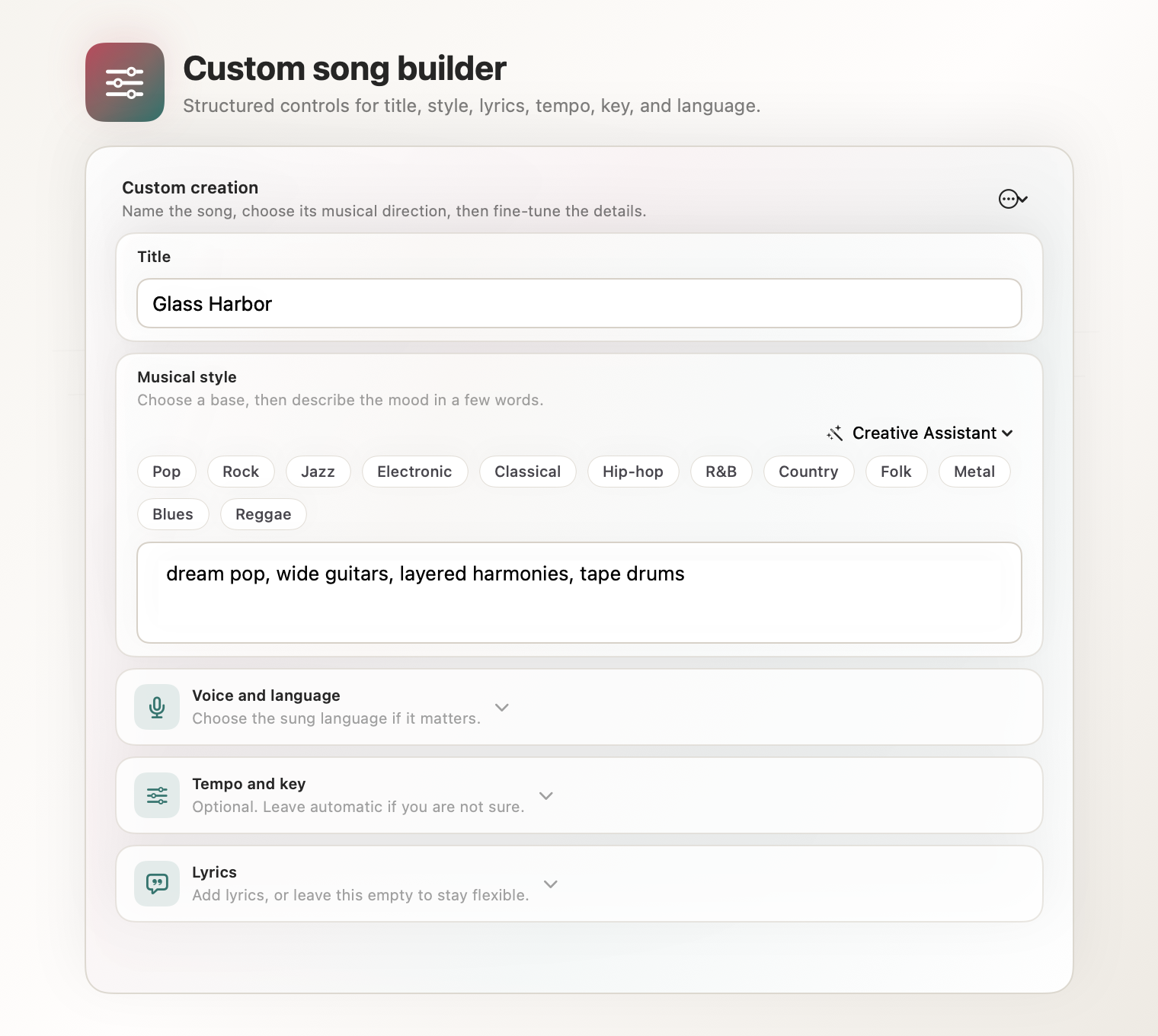
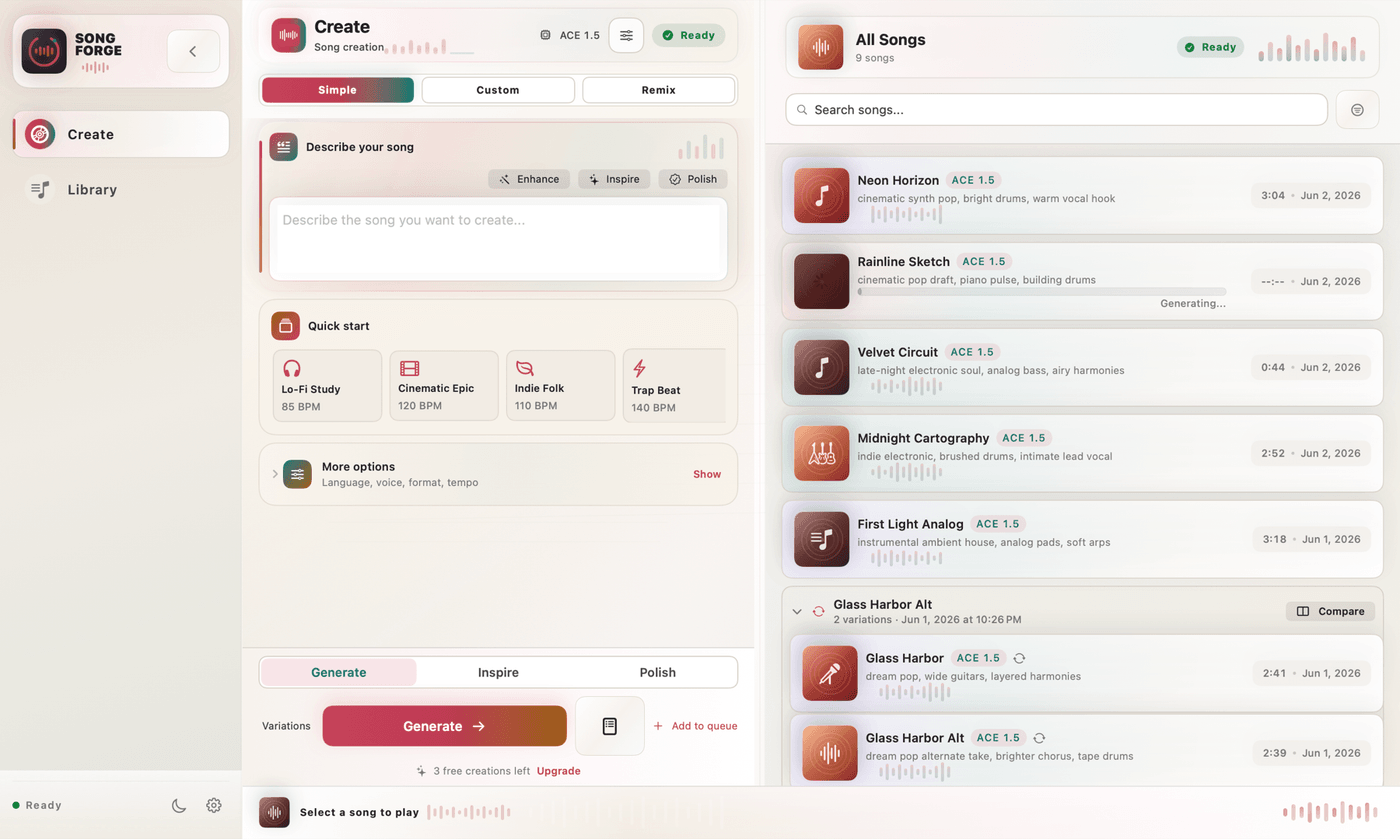
Set lyrics, style, tempo, key, and generation options.
SongForge local song library
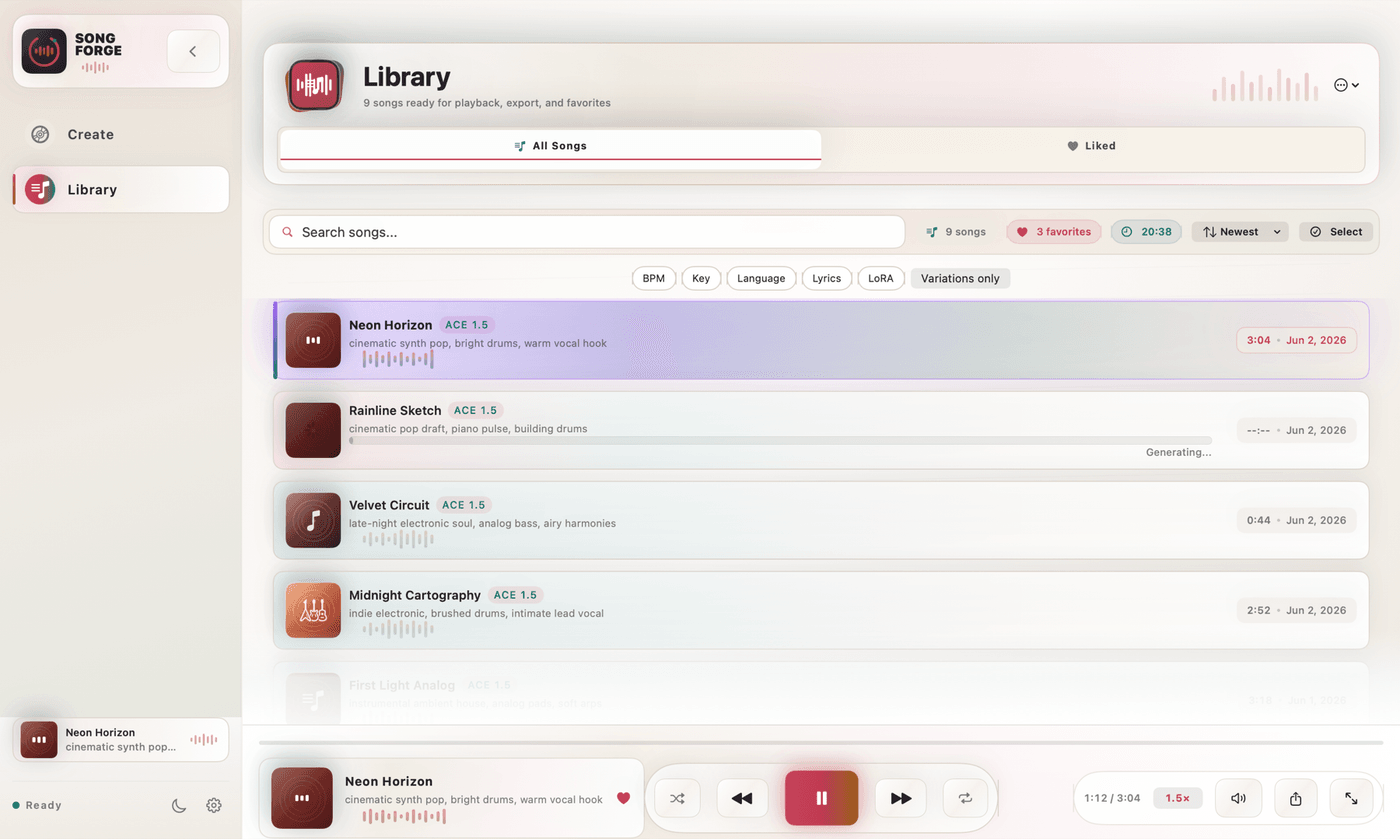
Keep generated songs and their settings in a local library.
SongForge Rework playback of the locally generated Neon Afterglow take
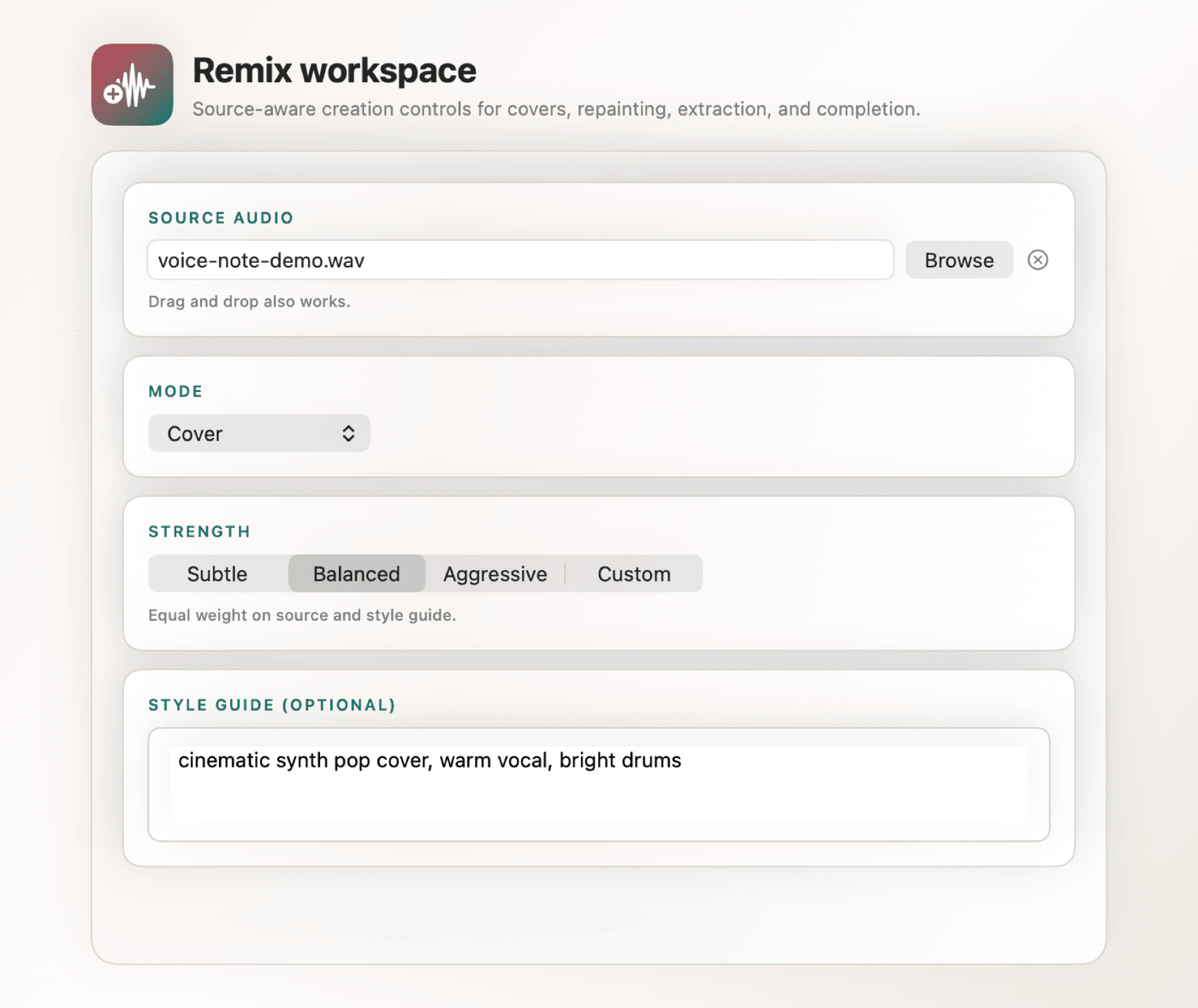
Select a Library source, create a Rework, and hear the new take on the same Mac.

Watch a SongForge Rework, end to end.

This 30-second capture shows a Library source, the Transformed setting, a new take and playback in SongForge 1.0.1 on Mac.

Real local product capture. It demonstrates Rework and playback after model setup; it does not claim a universal generation speed or an offline first-run setup.

Make music locally on your Mac

Make the first take, choose a source you want to revisit, then keep each new direction close to the rest of your work.

01 — Text-to-Song Generation

From an idea to a playable track — with measured local evidence

Type what you hear in your head. SongForge's generation panel gives you full control: add a text prompt, paste your lyrics, pick a style preset, set the BPM and key, choose a vocal language, and hit Generate. In a signed-build measurement, a 2 min 13 s dance-house track rendered in 70 seconds with Turbo Q8_0 on the test Apple-silicon Mac. That is one measured run, not a speed promise: model, duration, Mac and current load all matter. Read the method and limits.

  • Simple and Custom generation modes
  • Lyrics, style, BPM, key and vocal language controls
  • Variation groups — generate siblings from the same prompt
  • Re-roll individual songs without losing the rest
  • Parallel tasks — queue multiple generations at once
  • Keyboard shortcut ⌘G to generate from anywhere
02 — Local AI Engine

Your Mac is the studio

SongForge runs a compatible ACE-Step 1.5 model on your hardware using GGUF quantization and Apple Metal GPU inference. After model setup, normal standalone generation can run locally. Model delivery, purchase or licence checks, support links, and any remote Audio Unit backend you deliberately configure still use a network connection.

  • ACE-Step 1.5 — state-of-the-art open music model
  • GGUF quantized for efficient on-device inference
  • Metal GPU acceleration on Apple Silicon
  • Normal standalone generation can work offline after model setup
  • No SongForge analytics or account for normal standalone generation
  • Clear disclosure of the limited network exceptions
03 — Library & Playback

Everything you make, beautifully organised

Every song you generate lands in your Library. Browse, search, and organise your creations with a full-featured player bar: scrubbing, shuffle, repeat, playback rate control, and keyboard shortcuts. Liked songs, variation groups, and smart search keep your library tidy as it grows.

  • Full player bar with scrubbing and playback rate
  • Shuffle and repeat modes
  • Liked songs & variation group organisation
  • Full-text search across all songs
  • Library backup and restore
  • Keyboard shortcuts: ⌘P play/pause, ⌘L library
04 — Rework & Export

Use the take as the next starting point

Choose a source from your Library, set the Rework direction and create a new take without losing the original. The current workflow then lets you keep both in the Library, play them side by side and export MP3 or WAV when you are ready to take the file elsewhere.

  • Choose a Library song as the Rework source
  • Keep original and new takes together
  • Library playback, search, favourites and song details
  • MP3 & lossless WAV export
  • Export destination chosen by the user

Three steps from an idea to a new take

Choose your model

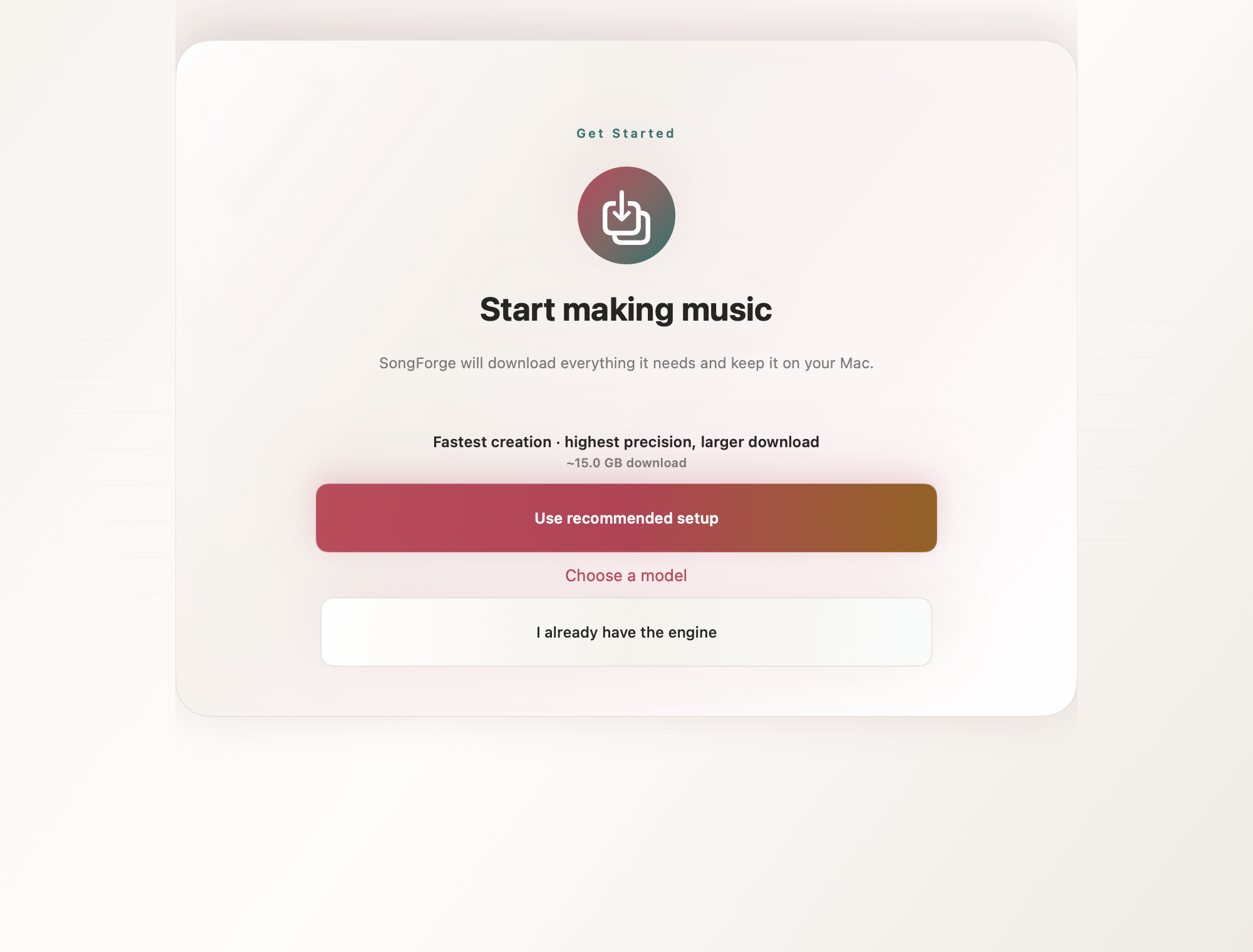
On first launch, SongForge downloads or links a compatible ACE-Step 1.5 GGUF model set, approximately 6–15 GB depending on quantization. Once the model is available, normal standalone generation runs locally on the Mac. Network access remains necessary for model delivery, App Store purchase handling, support links, and any remote Audio Unit backend the user explicitly configures.

Describe your song

Enter a text prompt describing the song you want. Optionally add lyrics, choose a style preset, set BPM and key, and select the vocal language. Use Simple mode for instant results or Custom mode for precise control over every parameter.

Generate, then Rework

Press Generate (⌘G), listen in the built-in player, then select a source in the Library to create a Rework. Speed depends on the selected model, requested length, Mac and system load. One signed-build measurement and its limits are published separately.

Local by default, explicit when connected

Standalone generation and the project library run locally, with no SongForge account or analytics. Model delivery, purchase validation, support links, and an Audio Unit remote backend you explicitly configure are the documented network exceptions.

Local SQLite
All song data and settings stored in a local database on your device — no sync, no cloud backup.
No Account
No SongForge account is needed for standalone generation. Purchases are handled by the Mac App Store.
On-Device Inference
In the normal standalone path, ACE-Step inference runs on the Mac, and prompts or source audio are not uploaded to a SongForge inference service. Model delivery, App Store purchase handling, support links, and an optional user-configured remote Audio Unit backend are the documented network exceptions.
Hardened Engine
SongForge uses the macOS sandbox and hardened runtime, and is distributed through the Mac App Store.

Download SongForge for Mac

SongForge is now available through the Mac App Store. Apple shows the current local price, taxes, purchase terms and refund information before you confirm a purchase.

SongForge for macOS

Mac App Store

A native workspace for local AI music generation.

  • Local text-to-song workflow
  • Full Library & Playback
  • Keyboard shortcuts ⌘G ⌘P ⌘L
  • Liked songs & variation groups
  • Library backup & restore
View on the Mac App Store
Available now

What you control

Your Mac your music

Create, organise and export within a local-first Mac workspace.

  • Lyrics, style, tempo and key controls
  • Variations, playback and local library
  • Current terms and price shown by Apple at checkout
  • Model training is not included in this release
Download SongForge

SongForge is distributed through the Mac App Store. Apple confirms availability, local price, licence scope and refunds at the point of sale.

Common questions

SongForge is a native macOS app that generates full songs — vocals, instruments, and structure — from a text prompt you provide. It uses a compatible ACE-Step 1.5 model locally on your Mac via Metal GPU acceleration. In the normal standalone path, your prompts and generated audio stay on your device. A remote Audio Unit backend is used only if you explicitly configure and confirm one.
Normal standalone generation runs locally with a compatible ACE-Step 1.5 model. Network access is still used for model downloads, purchase or direct-build licence validation when applicable, support links, and an Audio Unit remote backend only when you explicitly configure and confirm one.
SongForge uses ACE-Step 1.5, a state-of-the-art open-source music generation model. The model weights are distributed in GGUF quantized format (a 4-file set) for efficient on-device inference. You download the model set on first launch from Hugging Face — the app guides you through this automatically.
The GGUF model set is approximately 6–15 GB depending on the quantization level you choose. SongForge guides you through the download on first launch. Once available locally, the model can be used for normal standalone generation without downloading it again unless you choose to change or replace the model files.
Standalone prompts, lyrics, projects, and generated audio stay on the Mac. SongForge has no analytics or SongForge account. Network exceptions are model delivery, Store or direct-build purchase validation, support links, and an optional Audio Unit remote backend that you configure yourself.
Yes. Select a source in the local Library, choose a Rework setting and generate a new take. The source stays in your Library so you can compare, play and organise both takes.
The reviewed workflow supports MP3 and WAV export. Export availability, the current local price, licence scope and refund route are shown by Apple before any purchase.
SongForge is available on the Mac App Store.
It suits people who prefer a Mac-native, local-generation workflow and accept a substantial model download plus hardware-dependent generation speed. Suno and Udio are cloud products with different workflows and terms. See the Suno comparison and Udio comparison; always verify competitors' current plans on their own sites.
After model setup, normal standalone generation can work offline. Model downloads, purchase or licence validation, support links, and any Audio Unit remote backend you choose to configure require a network connection.
Songs are generated locally on your Mac, and HighRoad Software claims no ownership of your output — there is no cloud service whose terms grant anyone else rights to your creations. For commercial use, review the underlying ACE-Step model license and the SongForge Terms of Use, which set out the conditions that apply to generated audio.
Apple shows the current local price, included purchase details and refund information on the Mac App Store before you confirm a purchase.
SongForge app icon

Available on the Mac App Store

Start creating with SongForge.

Download the native Mac workspace for private, local-first AI music generation.

Download on the Mac App Store Explore features

macOS 14 Sonoma or later  ·  Apple Silicon recommended  ·  On-Device AI · Bundle ID: com.hrs.songforge.app