SongForge / A practical guide
Your lyrics are stuck in Notes. Give them a first take.
A practical way to hear your own words, catch the awkward lines, and make a draft worth revising with SongForge.
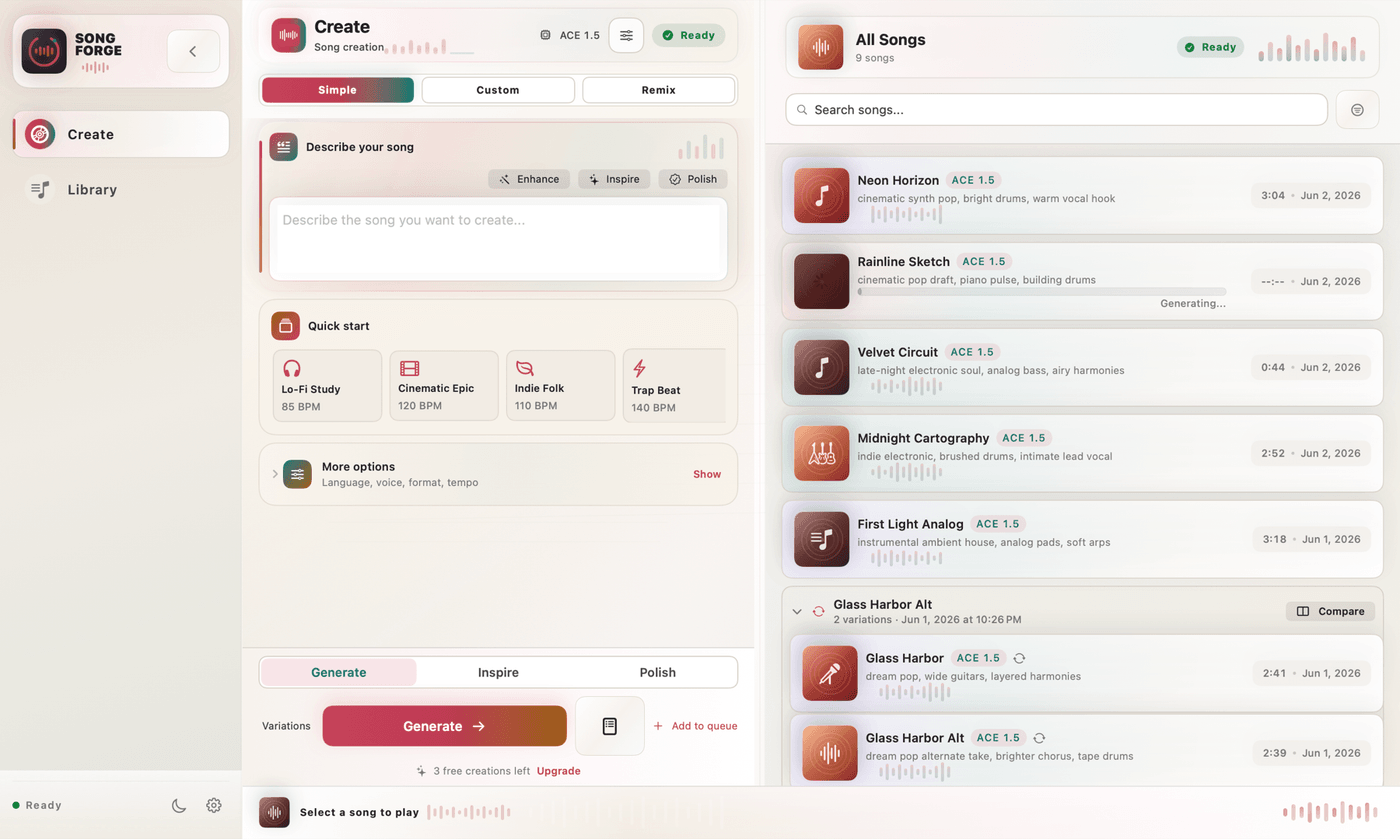
Your best chorus might be sitting in a note called “Untitled 47.” You open it, change a word, close it. On the page, you can imagine almost any melody. That makes the draft surprisingly hard to argue with.
Give those words a voice and the problems become audible. A line runs out of room. The word you meant to emphasise disappears into the beat. Or a phrase you nearly deleted turns out to be the bit you want to hear again.
That is a useful job for a first AI-generated take: hearing enough to make the next writing decision. Here is a way to do it on a Mac with SongForge, starting with lyrics you already have.
Take one verse out of the drawer.
Choose a short draft you are willing to change. A verse and a chorus give you something to listen for without making you responsible for an entire album before dinner.
Keep a copy of the original in your notes. Put each sung phrase on its own line and make the verse and chorus easy to distinguish. Read the words aloud once. If you have to rush through a line to reach the end, shorten it before asking a model to sing it.
An original example to try
[Verse] Your coffee ring is on the sill I move the cup; the mark stays still The kitchen window catches blue I leave the chair turned out for you [Chorus] Leave the light above the door I still look up from the second floor If you come back a little late I'll hear your key before the gate
You might dislike the last line. Good: that is already a specific thing to test. Hear how it lands, then try a replacement. The example is a writing exercise, not a claim that these words have produced a particular recording.
“Make it emotional” leaves too much undecided.
Give the music a direction you could describe to another person. What carries the song? How close should the vocal feel? How much should the chorus open up?
For the lyric above, a starting brief could be:
Example musical direction
Small-room indie folk. Fingerpicked acoustic guitar, soft bass, brushed drums. A close, restrained lead vocal. Keep the verse sparse; bring in a quiet harmony for the chorus. Bittersweet rather than triumphant.
Those details give you something to evaluate. If the result arrives with huge drums and a belted vocal, you can say exactly what missed. “Better” would be a much harder instruction to act on.
Start with a direction you actually want to hear. Resist the urge to add six genres because the text field has room.
Get the Mac ready before the first take.
SongForge needs macOS 14 or later; Apple silicon is recommended. Its local generation uses a compatible ACE-Step model. The initial model setup is a substantial download, roughly 6–15 GB depending on the model option.
Complete that setup first. Generation time depends on your Mac and model, so leave room for it. This is not a promise of an instant song.
After setup, open Custom creation. Put the musical direction in the style field and your words in Lyrics. Choose the sung language. If you already know the tempo or key you want, set them; otherwise, leave those choices automatic. Generate a take, then listen to it in the Library.
In the normal standalone workflow, generation runs on your Mac and the finished audio stays in its local library. Model downloads, purchases and any remote backend you explicitly choose are separate network uses. The privacy page explains that boundary.
The first take gets one job.
Listen for whether the words work when sung. Put the style experiments aside for a moment. If you judge the vocal, mix, lyrics and arrangement all at once, you can end up replacing a usable idea without learning much from it.
On this pass, make a short note wherever something catches your ear:
- A line sounds crowded. Try removing a few syllables.
- The chorus passes without a clear arrival. Try a simpler opening phrase or a more explicit change in the musical brief.
- A word is swallowed or mispronounced. Note which word; check it again in the next take.
- A phrase works. Keep that part of the lyric while you revise the rest.
Change one thing before generating again. AI output can vary even with the same brief, so this will not isolate cause and effect perfectly. It does keep your own revisions understandable.
You need a reason for the next take. “The second line has too many syllables” is one. Clicking Generate because the button is there is less useful.
Keep the version you can learn from.
SongForge keeps finished takes in the Library. The Pro unlock adds MP3 and WAV export. Save the version you want to revisit, with a name that tells you what changed: “Kitchen window — shorter second line,” for example.
If you want to explore a different treatment of an existing take, Rework gives you another starting point. The recording below shows an existing SongForge Rework demonstration. It is separate from the lyric exercise in this article.
You may still want a musician to perform the song, or a DAW to edit and mix it. A rough take can help you explain the direction. Listen all the way through before sharing any generated audio, and use lyrics and source recordings you have permission to use.
Pick the note you keep reopening. Copy one verse and one chorus. Give them a musical direction, then listen for the first line you would change.