01
Neon Afterglow
French electro-pop · French touch · 126 BPM
SongForge is a native Mac studio for turning a musical direction into a playable take. After model setup, generate locally, rework a source from your Library, then play or export the result.
Free download · 3 creations included · macOS 14 Sonoma or later · Apple silicon recommended
At a glance
SongForge is a native Mac AI music studio. Set a direction, lyrics, BPM and key, generate a playable take locally after model setup, then rework, compare and export it from a local Library.
Product facts and Mac App Store availability reviewed on . See the verification method and corrections policy.
SongForge (bundle ID: com.hrs.songforge.app) is a native macOS application built by HighRoad Software (COBI Management SRL). It uses a compatible ACE-Step 1.5 model to create vocals and instruments after model setup. Start with a prompt, lyrics, BPM, key and vocal language; then keep a take in the Library, play it, create a Rework from that source or export it. Normal standalone generation runs locally on the Mac. Network access is limited to model downloads, App Store purchase handling, support links, and an Audio Unit remote backend only when you explicitly configure and confirm one. SongForge requires macOS 14 or later and is available on the Mac App Store.
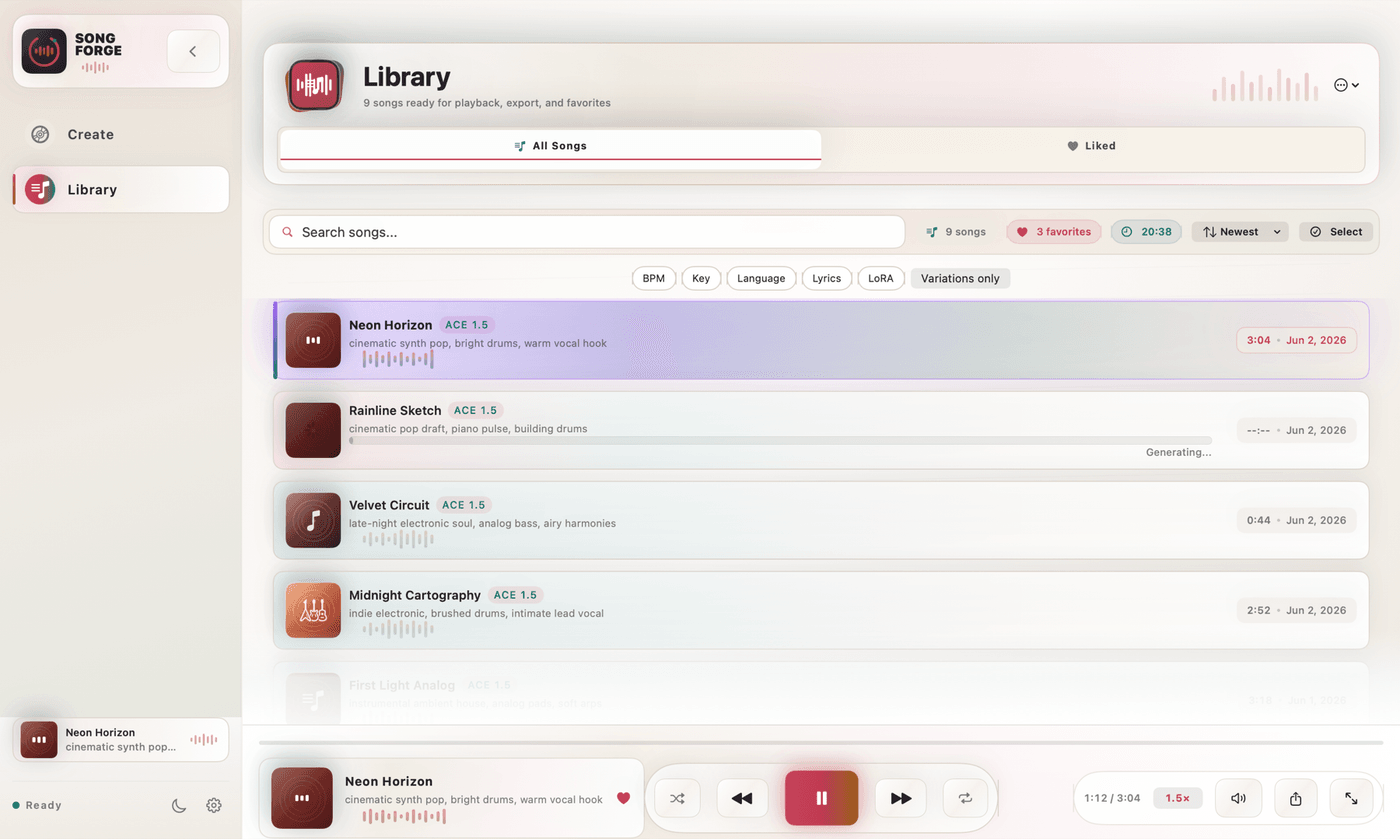
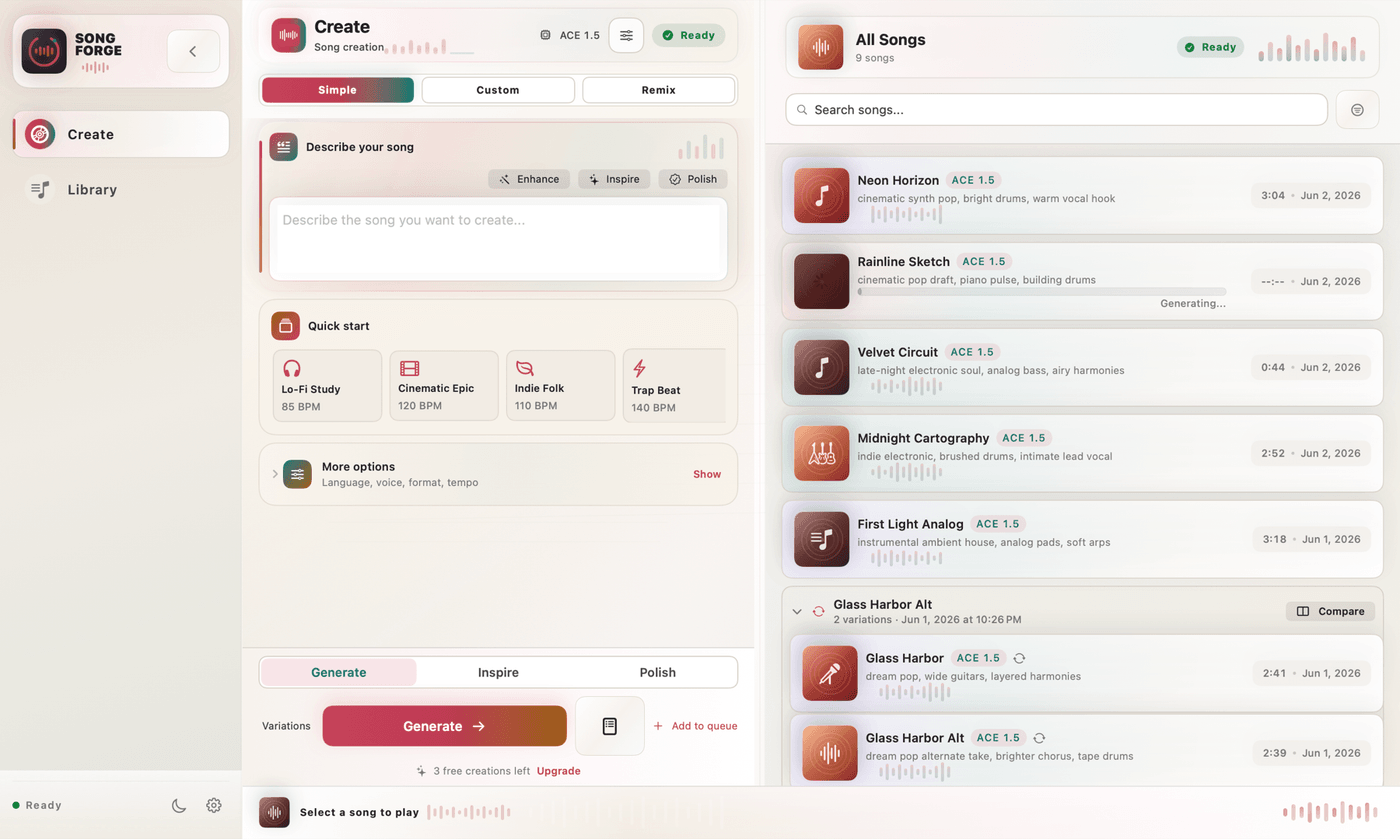
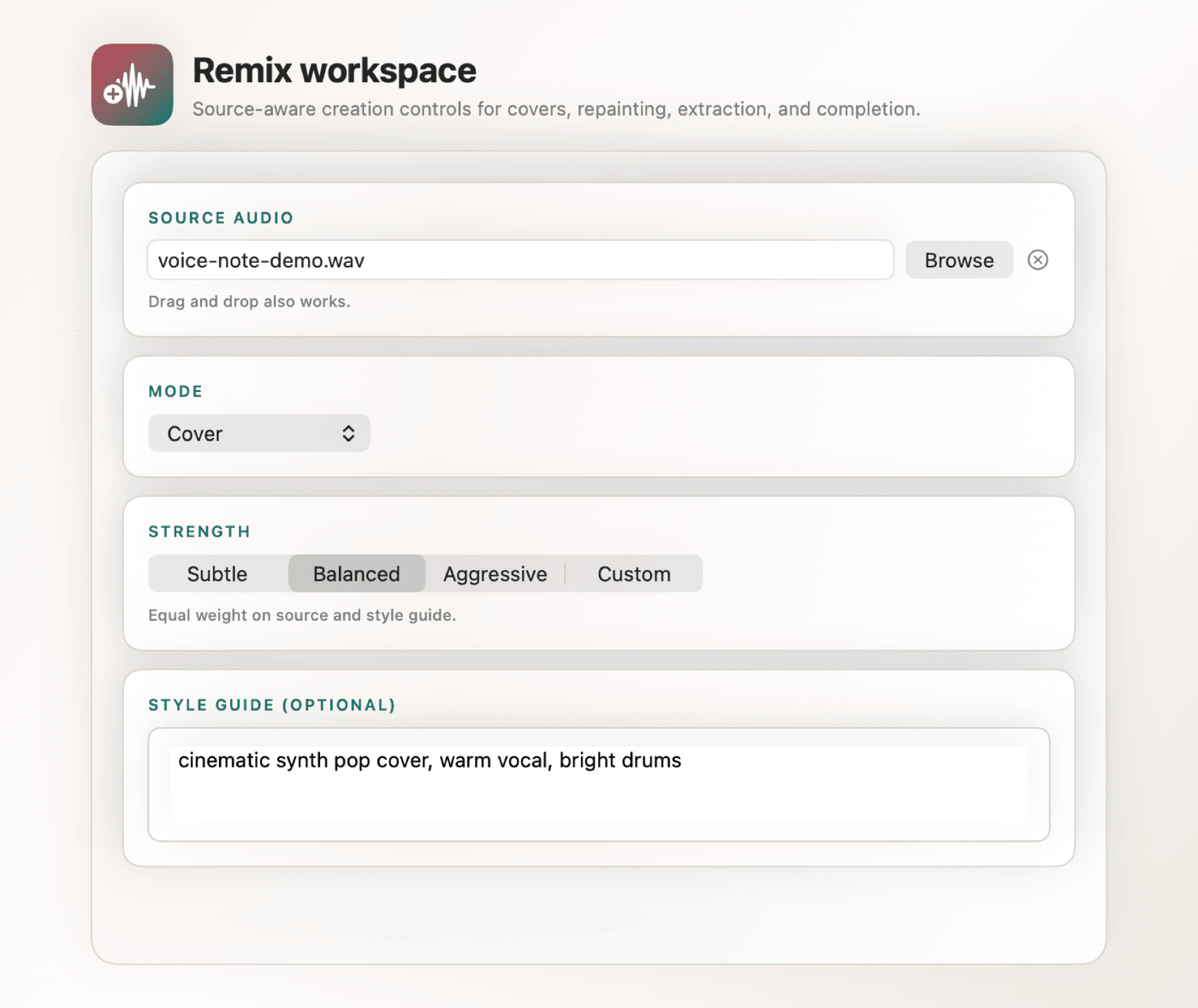
The app keeps the prompt-to-play workflow together: create, revisit a Library source, make a Rework, then listen or export. Creative Assistant previews an editable New direction or Improve brief. Apply all fields, choose selected fields, or dismiss the preview without changing the draft. After generation, Rework can create a new take from MP3, WAV or a Library song. Arrange places Library songs into scenes and a beat timeline with a clip launcher and playback mixer.
Five original, unedited SongForge generations from the local ACE-Step engine. Headphones recommended.
French electro-pop · French touch · 126 BPM
Alt-pop · liquid drum & bass · 174 BPM
UK garage pop · duet · 132 BPM
Afro-house · alternative R&B · 122 BPM
Indie dance · nu-disco · 118 BPM
This 30-second capture shows a Library source, the Transformed setting, a new take and playback on Mac. It demonstrates the Rework workflow; it is not performance evidence for every Mac.
Make the first take, choose a source you want to revisit, then keep each new direction close to the rest of your work.
Type what you hear in your head. In the generation panel you can add a text prompt, paste your lyrics, pick a style preset, set the BPM and key, choose a vocal language, and hit Generate. In a signed-build measurement, a 2 min 13 s dance-house track rendered in 70 seconds with Turbo Q8_0 on the test Apple-silicon Mac. That is one measured run, not a speed promise: model, duration, Mac and current load all matter. Read the method and limits.
SongForge runs a compatible ACE-Step 1.5 model on your hardware using GGUF quantization and Apple Metal GPU inference. After model setup, normal standalone generation can run locally. Model delivery, purchase or licence checks, support links, and any remote Audio Unit backend you deliberately configure still use a network connection.
Every song you generate lands in your Library. Browse, search, and organise your creations with a full-featured player bar: scrubbing, shuffle, repeat, playback rate control, and keyboard shortcuts. Liked songs, variation groups, and smart search keep your library tidy as it grows.
Choose a source from your Library, set the Rework direction and create a new take without losing the original. The current workflow then lets you keep both in the Library, play them side by side and export MP3 or WAV with SongForge Pro when you are ready to take the file elsewhere.
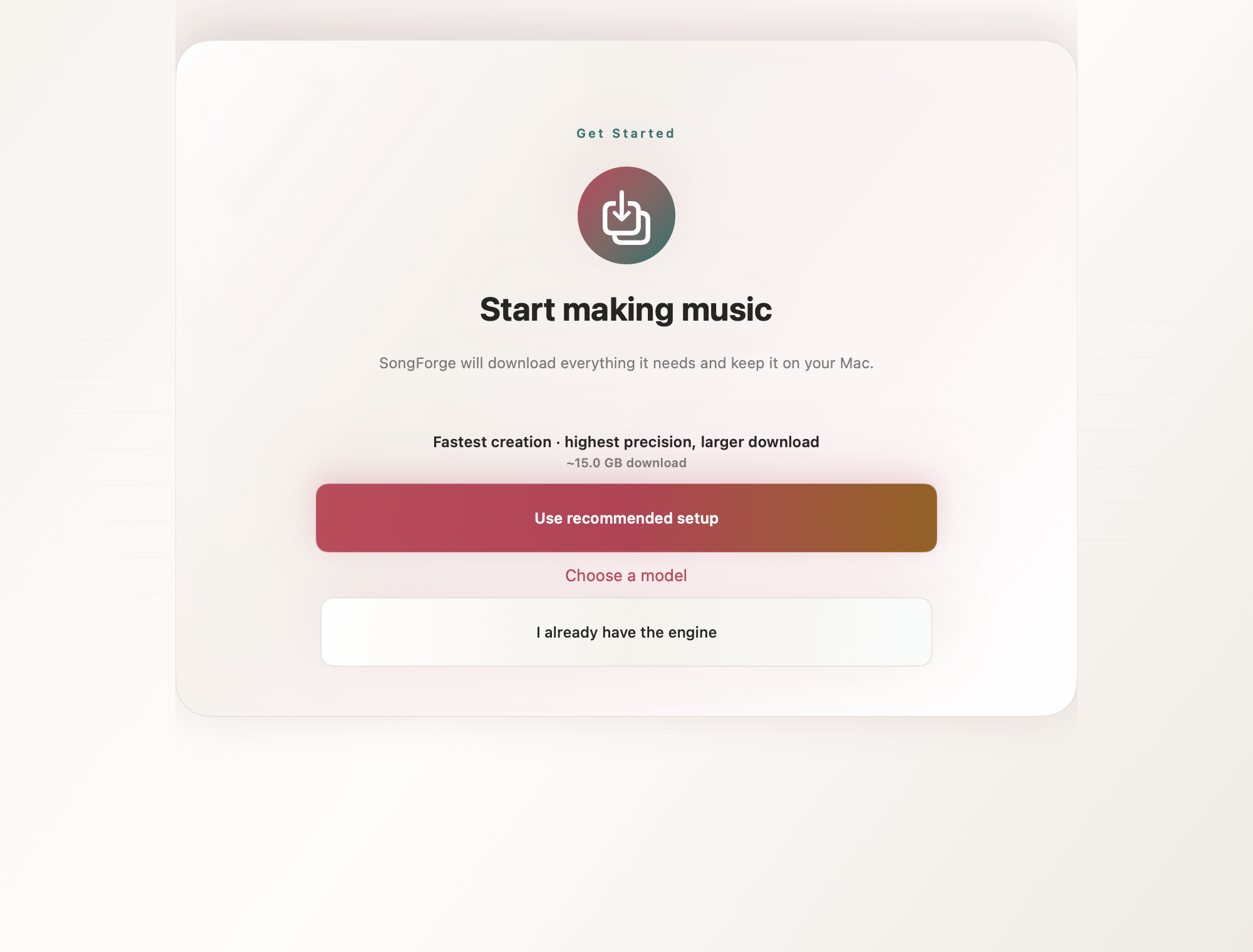
On first launch, SongForge downloads or links a compatible ACE-Step 1.5 GGUF model set, approximately 6–15 GB depending on quantization. Once the model is available, normal standalone generation runs locally on the Mac. Network access remains necessary for model delivery, App Store purchase handling, support links, and any remote Audio Unit backend the user explicitly configures.
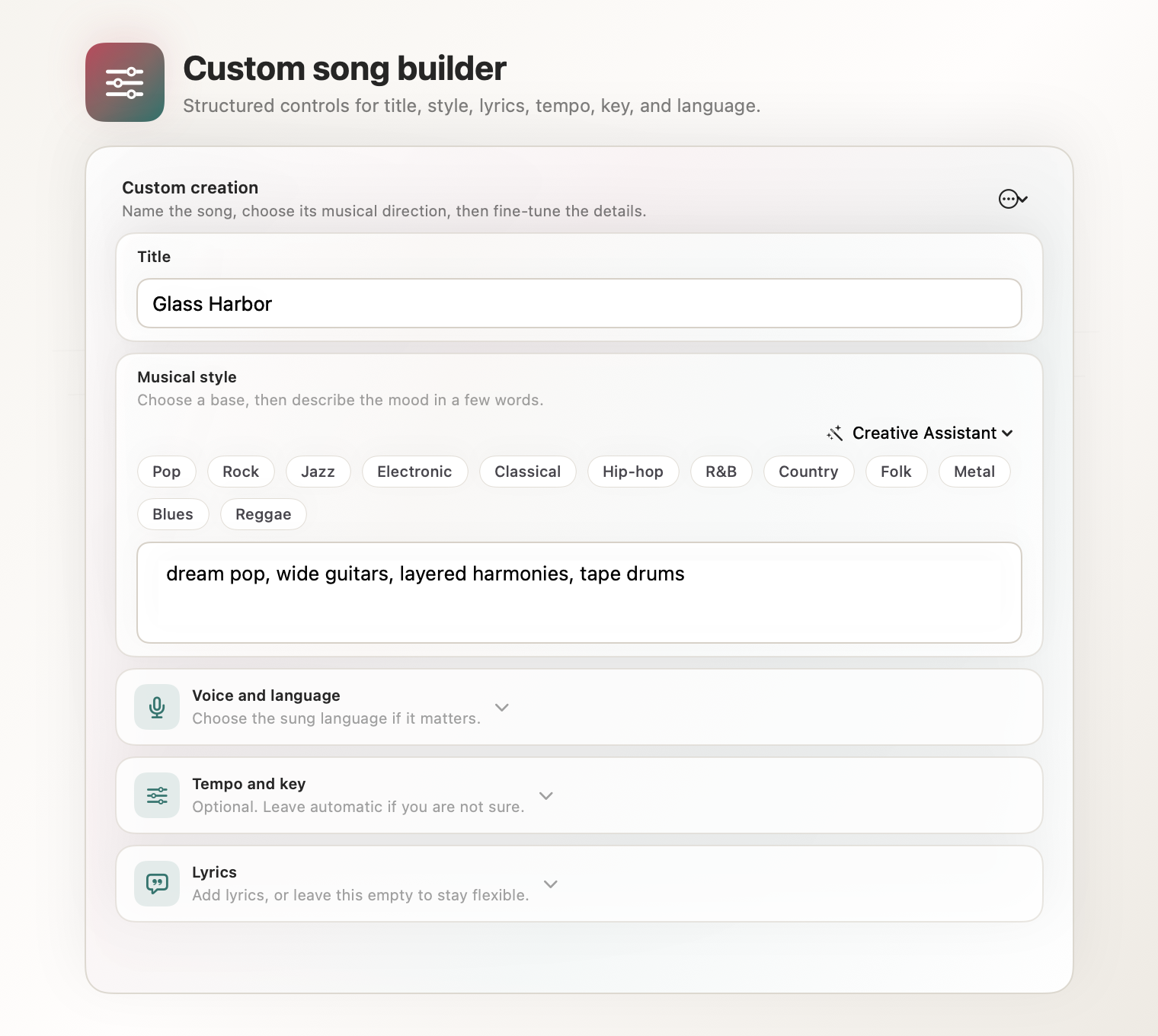
Enter a text prompt describing the song you want. Optionally add lyrics, choose a style preset, set BPM and key, and select the vocal language. Use Simple mode for a short description or Custom mode for detailed musical controls. Creative Assistant previews an editable New direction or Improve brief. Apply all fields, choose only selected fields, or dismiss the preview without changing your draft.
Press Generate (⌘G), listen in the built-in player, then select a source in the Library to create a Rework. Speed depends on the selected model, requested length, Mac and system load. One signed-build measurement and its limits are published separately.
Standalone generation and the project library run locally, with no SongForge account or analytics. Model delivery, purchase validation, support links, and an Audio Unit remote backend you explicitly configure are the documented network exceptions.
Create three tracks free after model setup. A one-time SongForge Pro purchase unlocks continued creation and song export, with no subscription. Apple shows the current local price and purchase terms before you confirm.
SongForge for macOS
A native workspace for local AI music generation.
What you control
Create, organise and export within a local-first Mac workspace.
SongForge is distributed through the Mac App Store. Apple confirms availability, local price, licence scope and refunds at the point of sale.

Available on the Mac App Store
Download the native Mac workspace for private, local-first AI music generation.
macOS 14 Sonoma or later · Apple silicon recommended · On-Device AI · Bundle ID: com.hrs.songforge.app