Local document search and question answering on Mac.
Some files do not belong in a web upload. PaperMind reads them where they already live, builds its index locally, and answers with citations. Use a local model for an offline workflow, or deliberately connect a cloud model for selected questions.
At a glance
What is PaperMind?
PaperMind is a Mac document-research app that indexes PDFs, Office files, scans, ebooks, notes and source code, then answers questions with citations back to the original material. It supports local models by default and optional providers or connectors configured by the user.
- Platform
- macOS 14 Sonoma or later
- Best for
- Searching and questioning a private multi-file document library with citations
- Processing
- Documents and indexes stay on the Mac in the default local workflow
- Availability
- Release validation; no public purchase endpoint yet
Product facts reviewed against the documented product source; editorial review on . See the verification method and corrections policy.
Data handling and privacy
PaperMind opens files that are already on your computer, indexes them locally, and lets you search or ask questions. No account or analytics SDK is required. With a local model, the workflow stays on the Mac. If you add a cloud-model key, the retrieved passages needed for that question are sent to the provider you chose; the app does not upload the whole source file.
How the app works
Point PaperMind at a folder and walk away for a few minutes. It parses everything inside, including the scans. When it comes back, you have a library you can actually talk to.
Drop in a folder
Add a whole folder, sub-folders and all, or single files. PaperMind notices when you add new ones later and quietly catches up.
Search the way you think
Type the exact phrase if you remember it. Type a vague description if you don't. The app runs both at once: BM25 for the words, semantic embeddings for the meaning, and shows you what it found before any AI gets involved.
Answers that cite the page
Every answer points at the source. Click a citation, jump straight to that page in the PDF. No more "trust me, that's in there somewhere."
Local models, if you want
The app ships with a curated catalog: Llama 3.1 8B, Qwen 2.5 7B Instruct and others in GGUF or MLX. They download into your workspace when you pick one. You're never forced to use cloud AI.
Bring your own cloud key
Want Claude or GPT-class answers? Paste your Claude, OpenAI, or OpenRouter key. PaperMind sends only the retrieved passages, not your files. Off by default.
Workspaces that stay separate
One workspace per client, project, or part of your life. Each one has its own library, models and settings. Nothing bleeds across.
Scans, handled
Drop in a scanned PDF or a photo of a page. Apple Vision (the OCR engine already on your Mac) reads it. No Tesseract install, no cloud OCR service, no extra step.
Ask across your library
For thematic questions ("what are the recurring themes here?"), PaperMind builds community summaries across your library and answers from that context.
Compare two documents
Side-by-side view for when you need to see the diff between contract v1 and v2, or compare two papers in the same field.
Supported source material
No conversion step. No "please export to PDF first." Just drop your files in. Office stuff, ebooks, scans, source code, the lot.
.pdf (digital & scanned with OCR)
Word
.docx · .doc
Excel
.xlsx · .xls · .xlsm · .xlsb · .csv
PowerPoint
.pptx · .ppt
Images (OCR)
.png · .jpg · .jpeg · .tiff · .bmp · .webp · .gif · .heic
Text & Markdown
.txt · .md · .markdown · .rst · .rtf
Web
.html · .htm
Structured data
.json · .xml · .yaml · .yml · .toml
Ebooks
.epub
Research workflow
Local parsing, indexing, search and model answers run on your Mac. Model downloads, connectors and cloud providers you enable use the network; licensing requirements may depend on the distribution route.
Parse
Digital PDFs via pdfium & kreuzberg; scanned via Apple Vision; Office files via python-docx, openpyxl and friends.
Chunk
Content-aware: markdown, semantic, or row-aware table chunking, with token-clamping for the active embedding window.
Embed
Default IBM Granite 97m multilingual via MLX on Apple Silicon. Or pick BGE-Small / Base / M3.
Retrieve
Hybrid BM25 + vector search, with optional knowledge-graph global mode for thematic queries.
Answer
Generate with a local LLM (Llama 3.1, Qwen 2.5, …) or your chosen cloud model. Citations attached.
The repository includes retrieval regression checks used before release. Because the current fixture, query set and scoring method are not yet published as a reproducible benchmark, this page does not present an accuracy percentage or imply that an internal result predicts performance on every document library.
Local processing
No "AI-powered" hand-waving. Every model and library named below is something the app really loads.
| Component | What PaperMind uses |
|---|---|
| Embedding (default) | ibm-granite/granite-embedding-97m-multilingual-r2 · MLX on Apple Silicon |
| Embedding (alternatives) | BAAI/bge-small-en-v1.5, BAAI/bge-base-en-v1.5, BAAI/bge-m3 |
| Local LLMs (curated) | Llama 3.1 8B, Qwen 2.5 7B Instruct, and more · GGUF + MLX |
| Optional cloud LLMs | Claude (Opus / Sonnet / Haiku), OpenAI, OpenRouter — bring your own key |
| Keyword search | Okapi BM25 |
| OCR | Apple Vision via ocrmac (no Tesseract, no cloud OCR) |
| PDF parsing | pdfium + kreuzberg for digital, Apple Vision for scanned |
| Sandbox | Mac App Store sandbox + com.apple.security.network.client for curated model downloads |
| Distribution | Planned Mac App Store build (StoreKit Full Unlock) · planned signed & notarized DMG (Lemon Squeezy licence) |
Data handling and privacy
You know who you are. The work is too sensitive, too voluminous, or both. Pasting it into a chat window isn't an option.
Discovery, without the disclosure.
Case files, contracts, depositions. Indexed on the same Mac that holds them. Answers point at the exact page, so the citation trail is right there.
11 GB of scans. One question.
Birth records, parish registers, century-old census pages. Apple Vision reads the scans on your Mac. Nothing gets uploaded to a transcription service that might be gone in three years.
Your reading list, talking back.
A folder of PDFs and EPUBs you keep meaning to revisit. Ask "what are the recurring themes here" and get an answer that draws on the whole library.
One workspace per client.
Confidential decks, financials, interview transcripts. Keep each engagement in its own local workspace and use a local model when the material must not be sent to a provider.
Product comparison
Gemini Notebook (formerly NotebookLM) and ChatPDF are cloud services. LocalRAG provides a mobile local workflow with optional network modes. PaperMind is built for a Mac library with local models and optional providers. Check each product’s current sources, account limits and live offer before deciding. See all comparisons → · vs Gemini Notebook (formerly NotebookLM) · vs ChatPDF · vs LocalRAG
| PaperMind | Gemini Notebook (formerly NotebookLM) | ChatPDF | LocalRAG | |
|---|---|---|---|---|
| Where do files live? | On the Mac in the default workflow | In Google’s service | In ChatPDF’s service; official controls include deletion | On the mobile device in the local workflow |
| Account needed? | No account for the default local workflow | Google account | Free try without an account; account for saved and multi-file work | Check the current listing for account-specific features |
| Works offline? | Local models after setup; downloads, connectors and optional cloud providers use the network | Cloud service | Cloud service | Local models after setup; optional Claude mode uses the network |
| Library or per-doc? | Mac folder library | Cloud notebook; current source and account limits apply | Folders and multi-file chats; current account and plan limits apply | Mobile library |
| Formats beyond PDF? | 30+ | Check Google’s current supported sources and account limits | PDF, Word, PowerPoint, Markdown, text | 25, including audio and video |
| Audio & video? | No audio or video transcription documented | Audio Overviews; check current supported source types | No audio or video support listed | Audio and video transcription listed |
| Local model? | Supported local models; download required | No local-model workflow documented | No local-model workflow documented | Local AI models; check current device compatibility |
| Price | Release plan: free core and optional one-time unlock; no public offer or price yet | See current Google plan | See current ChatPDF plan | See current LocalRAG plan |
Screens from the app
These are current product screens from the repository—not fabricated device mockups. They may still change before release.
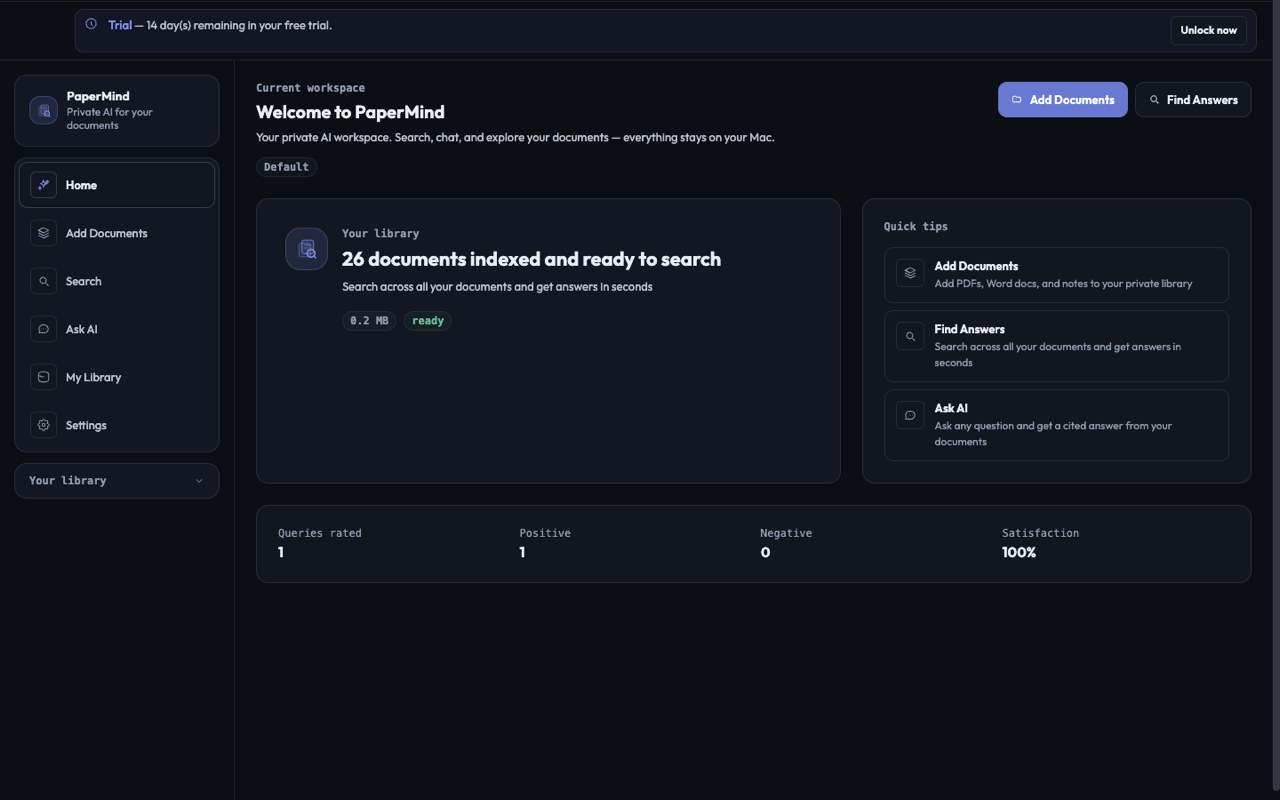
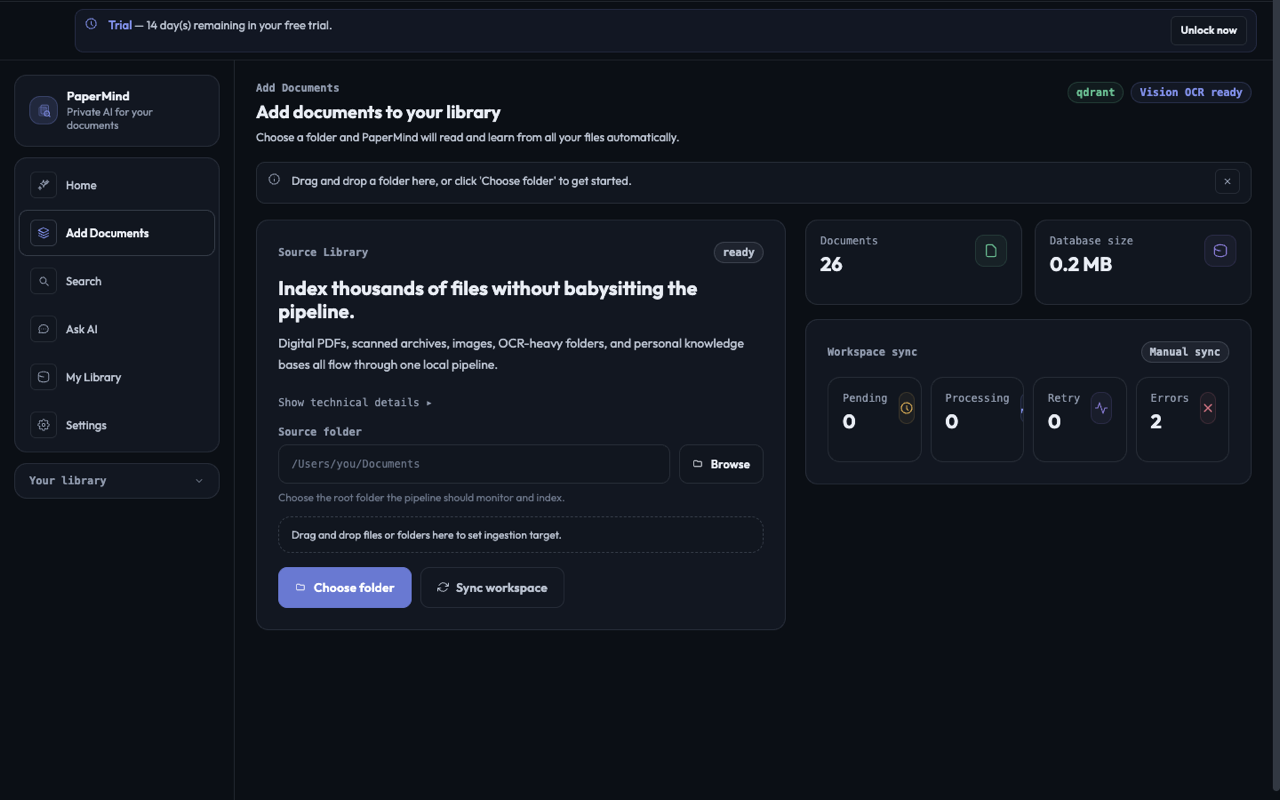
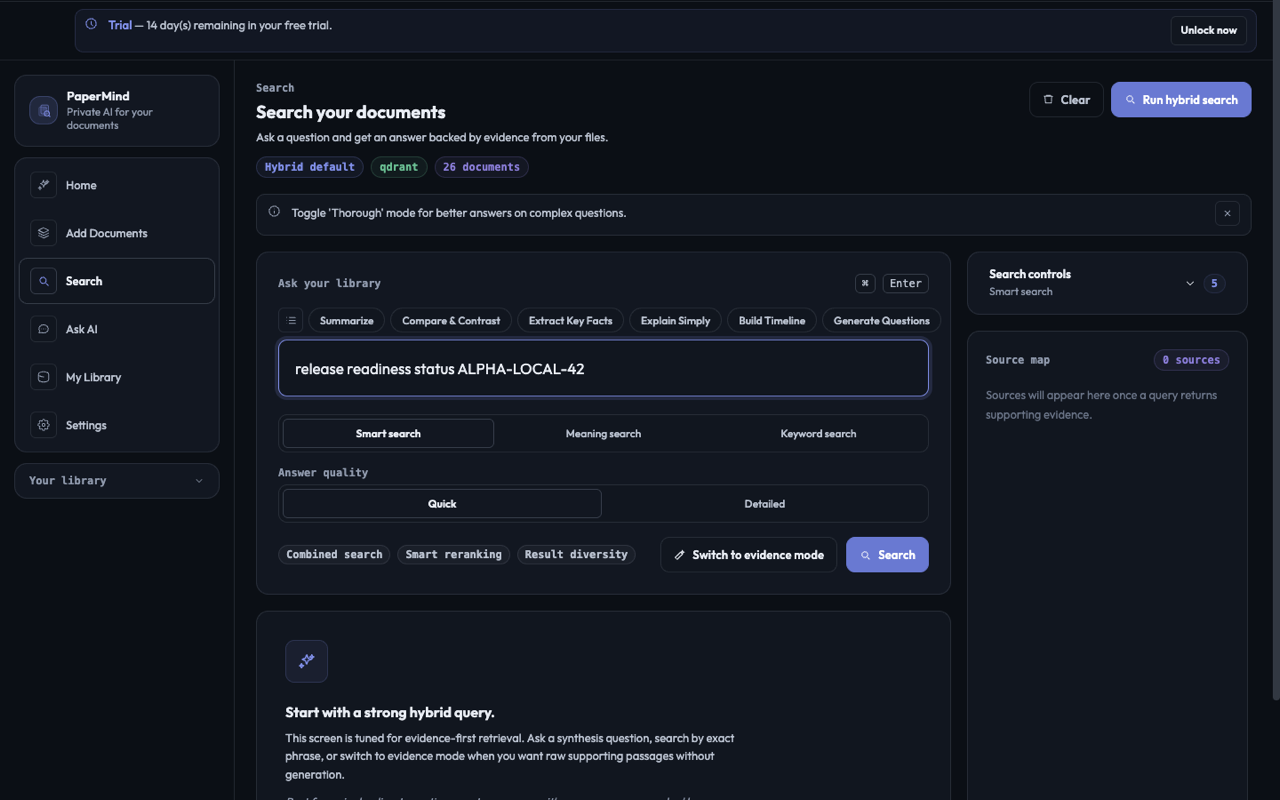
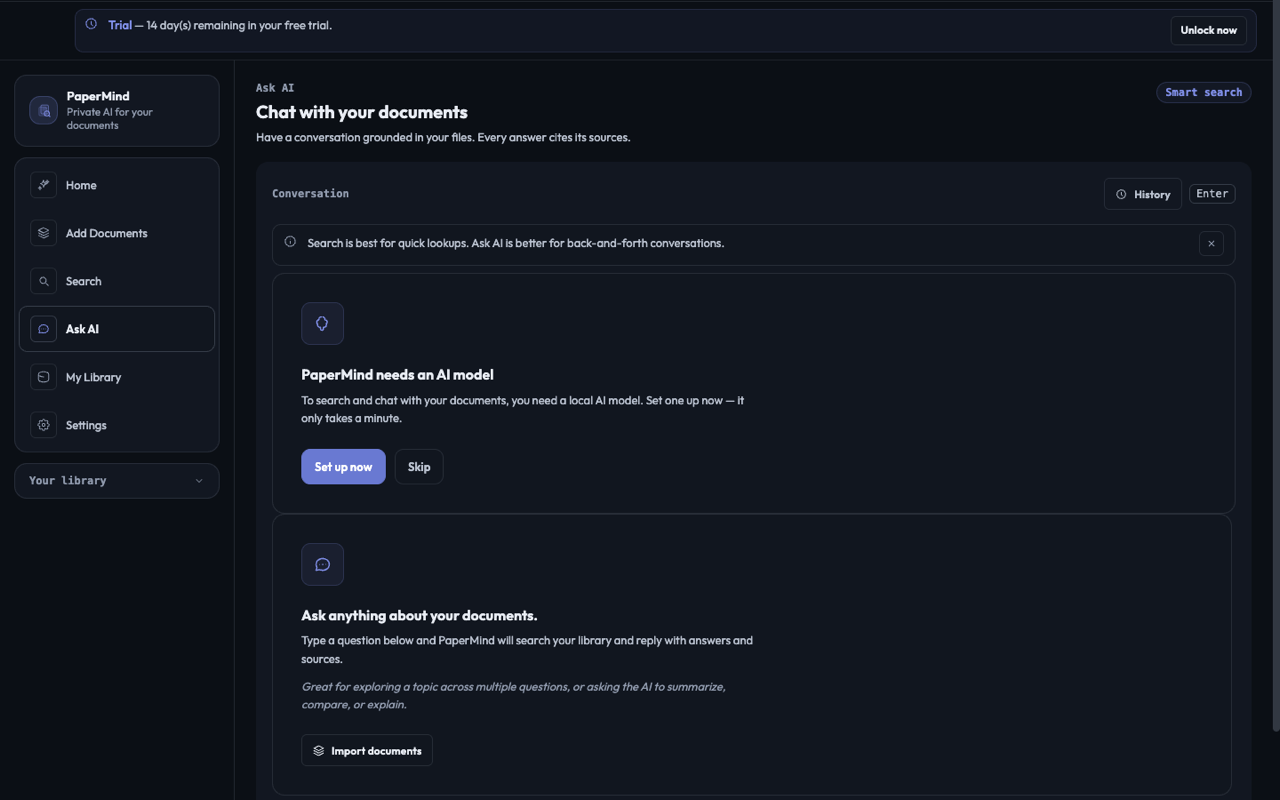
Ask AI with a local Llama / Qwen model.
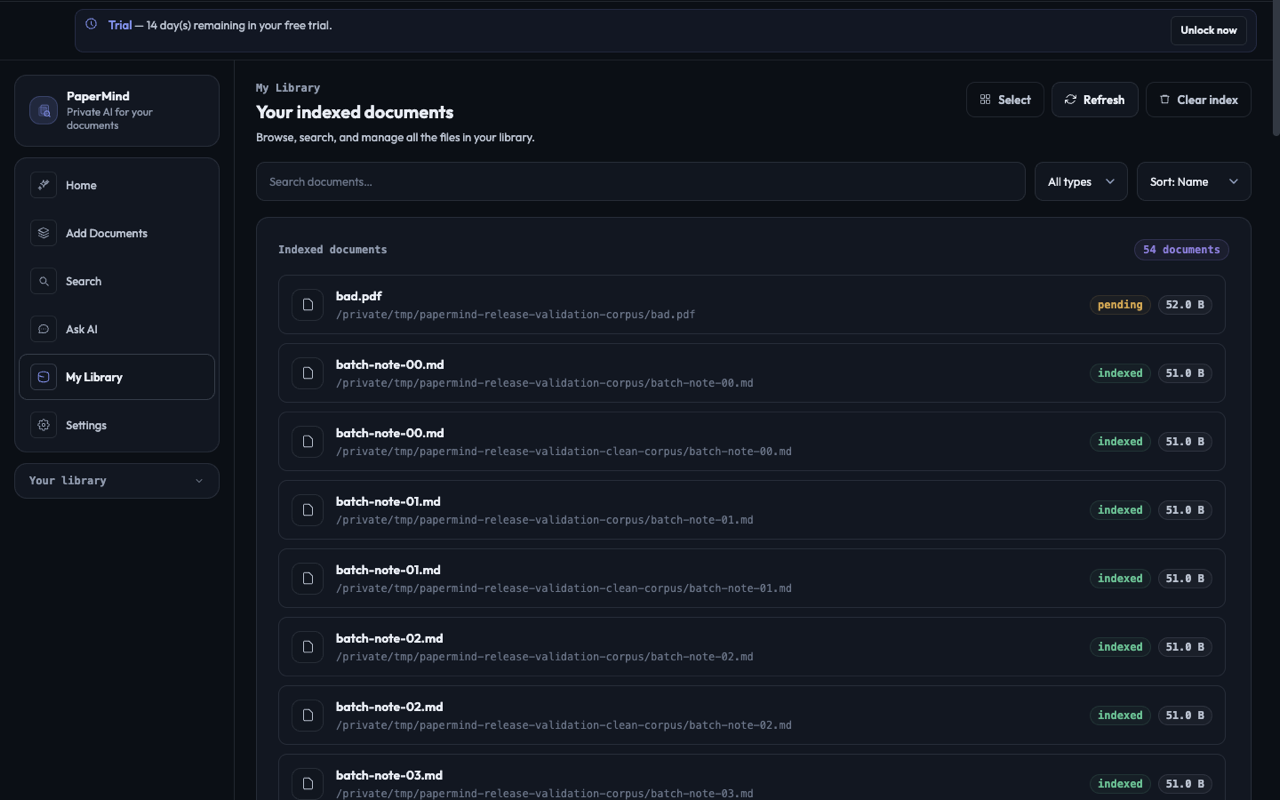
Library view across an indexed workspace.
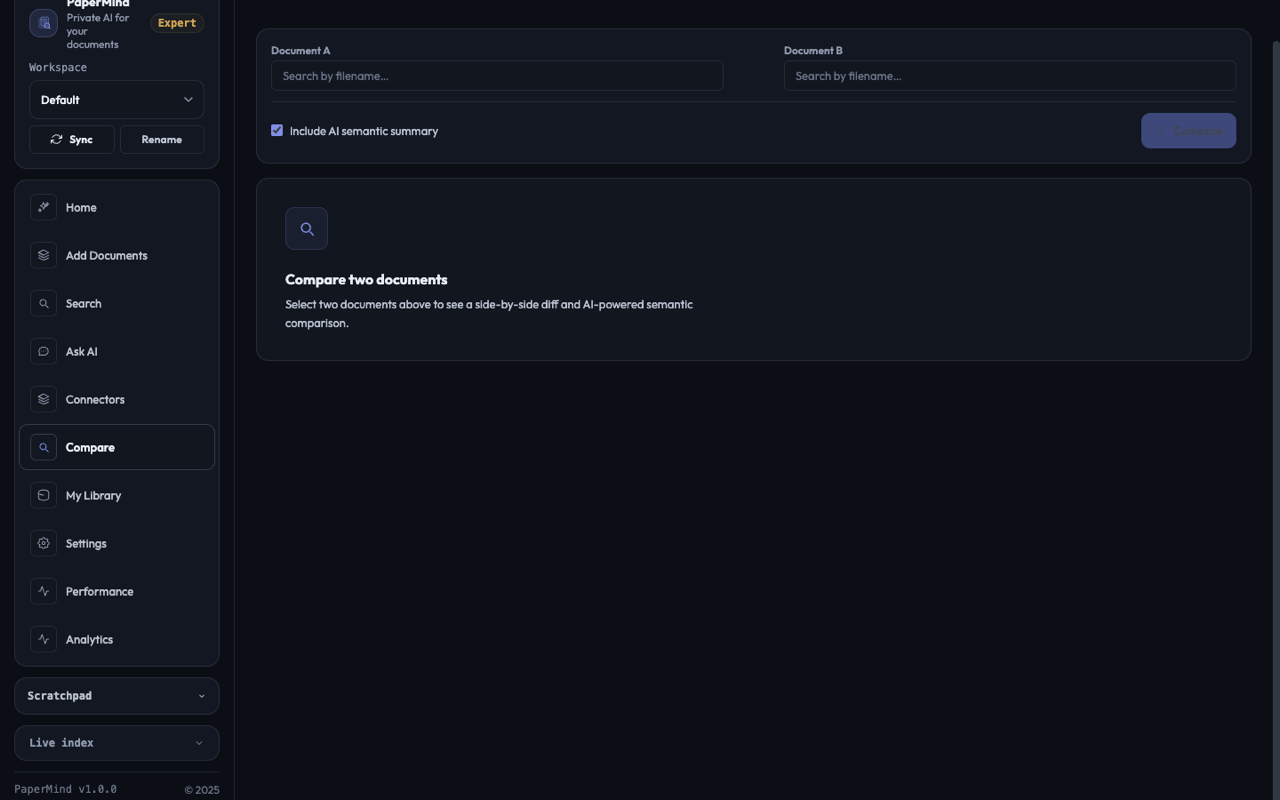
Side-by-side comparison workflow.
Local processing
The default local workflow keeps documents and indexes on your Mac. Network use depends on the downloads, connectors or cloud providers you choose; any licensing requirements will be stated before distribution opens.
Product questions
The short version: a Mac app for searching and questioning your own documents. The launch plan is a free core plus a one-time Full Unlock; the live App Store sheet will confirm regional pricing.
Wait, really no subscription?
A free core and optional one-time Full Unlock are planned, but no public purchase offer or price is available yet. Check the live regional purchase sheet after distribution opens.
So nothing gets uploaded?
Nothing is uploaded in the default local workflow. Parsing, OCR, chunking, embedding, retrieval, and local inference happen on your Mac. If you explicitly enable a cloud model, the retrieved passages needed for that question are sent to your chosen provider, not the whole file.
Which local AI models can I run?
The curated catalog includes Llama 3.1 8B and Qwen 2.5 7B Instruct, plus other GGUF and MLX models. Practical compatibility and speed depend on the model, available memory, and your Mac.
What about the embedding model?
The default is IBM Granite 97m multilingual, which means non-English documents work out of the box too. If you want to switch to BGE-Small, BGE-Base, or BGE-M3, you can. The library re-indexes when you do.
Does the OCR work well?
It uses Apple's own Vision framework, the same engine the rest of macOS uses for live text in Photos and Preview. It's fast, accurate, and entirely local. No Tesseract install required.
How big can my library get?
The development benchmark covers a substantial multi-document corpus, but there is no universal size promise. Indexing time and local-model performance depend on document mix, free storage, memory, and the Mac you use.
Does it really work offline?
After the required local models are downloaded, local indexing, search and answers can run offline. Model downloads, enabled connectors and optional cloud providers require a network; licensing requirements may also apply to the distribution route.
Can I buy it outside the App Store?
No public purchase route is available yet. Confirmed distribution options will be listed after release validation.
Two distribution routes are being prepared.
PaperMind is in release validation. We will publish the App Store listing and the signed direct build only after each endpoint is live and checked.
Full Unlock
No subscription or account is planned. The live purchase sheet will control final price and terms.