SongForge / A practical guide
A rough voice note can become the anchor for a new take
Choose a short source, set transformation strength, write an audible style guide and compare the result in a local Mac library.
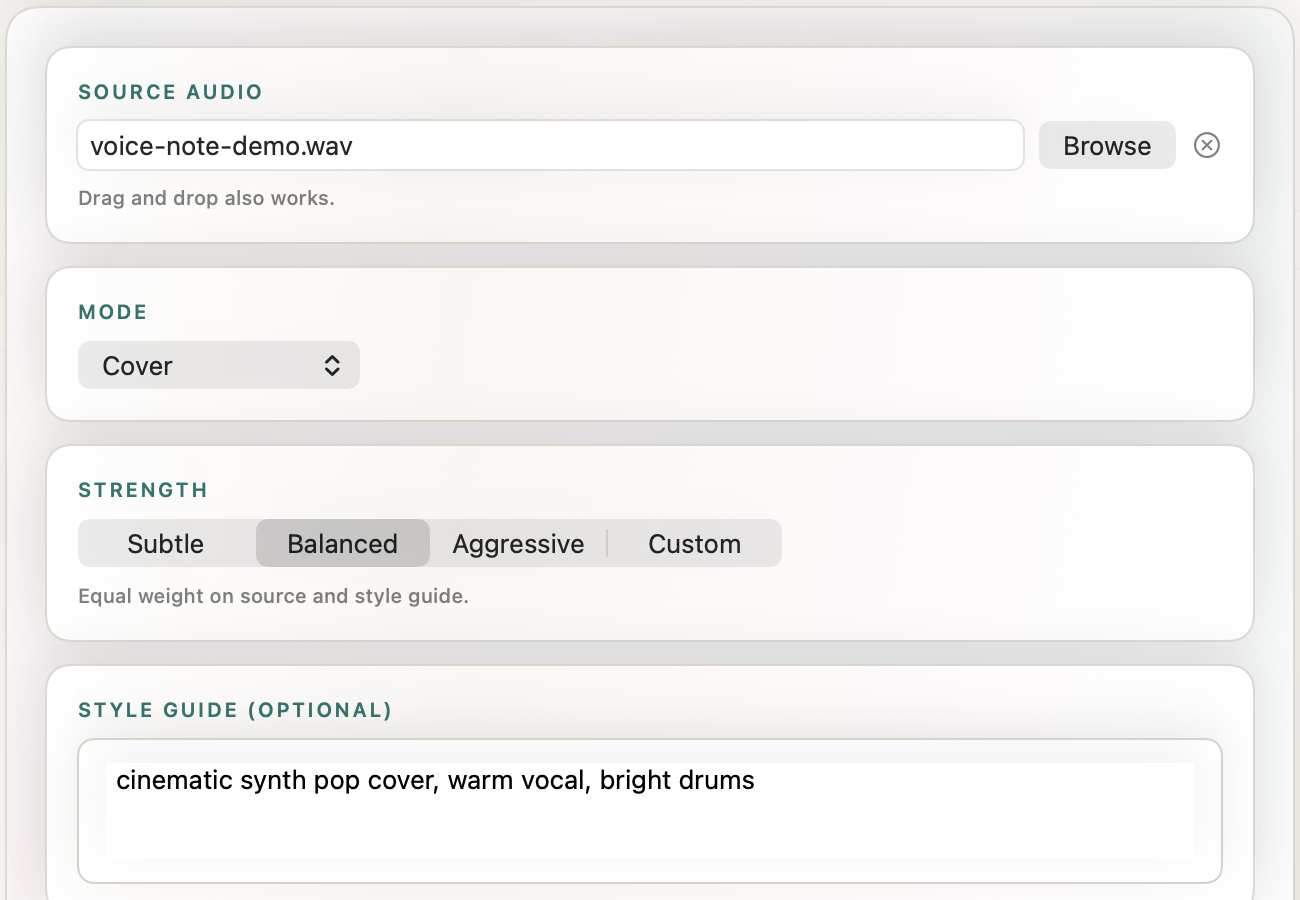
A voice note can hold the part of a song that a written prompt misses: the rise at the end of a phrase, a rough rhythm or a melody that only makes sense when you hum it. SongForge Rework starts from that audio instead of asking you to translate everything into words.
The aim is not to repair a recording until it sounds finished. It is to use a source you own as a musical anchor, describe a new treatment and listen to the resulting take on the same Mac.
This workflow accepts MP3 or WAV source audio. A short, intentional source usually teaches you more than an entire unedited rehearsal.
What should the source contain?
Choose the smallest recording that carries the idea. That may be one sung chorus, a guitar pattern or a phone recording of a melody. Trim long silence and unrelated conversation before import. SongForge is source-aware, but the model still has to decide what matters inside the file.
Use material you have permission to use. A commercial track, another person’s vocal or a sample found online does not become yours because it was imported into a local app. Rework is a creative tool, not a rights-clearing service.
WAV is useful when you have an uncompressed source from a recorder or DAW. MP3 is convenient for a quick sketch. The choice does not guarantee a better result; start with the cleanest available copy of the idea.
Pick a mode and strength you can explain
Open Rework, browse to the source file and choose the available transformation mode that matches the job. Then set the strength. A subtler setting asks the result to stay closer to the source; a more aggressive setting gives the new direction more room.
Do not treat the labels as measurements of musical quality. They are controls for the relationship between source and new direction. If you want to preserve a vocal contour while changing the production, begin near the middle and listen. If you want only the seed of the original idea, try a stronger transformation on a second take.
Change strength and style separately. When both move at once, it becomes hard to tell whether the new result followed the audio less closely or simply interpreted the new style differently.
Write a style guide with audible details
“Make it better” is not a direction. Name the arrangement, energy and vocal character you expect to hear. For a rough sung memo, a useful first guide might be:
Example direction
Warm synth-pop cover, steady mid-tempo drums, intimate lead vocal, wide chorus pads. Keep the verse restrained and let the chorus brighten without becoming aggressive.
That brief creates listening questions. Did the verse stay restrained? Did the chorus open? Is the voice still recognisably guided by the source? Specific language will not guarantee a specific output, but it gives you a reason to keep or revise the take.
Listen in the Library before exporting
After generation, SongForge keeps the result in its local Library. Listen from the beginning and do not judge only the most impressive ten seconds. Check transitions, unwanted artefacts, pronunciation and whether the result actually preserves the part of the source you cared about.
Name the take for the experiment: “voice memo — balanced — warm synth pop” is more useful than “Song 7.” If you try another strength, keep both long enough to compare them directly.
The normal standalone workflow runs locally after model setup. Source audio and results stay in the Mac workflow; no SongForge generation account is required. Model downloads, Store purchases, links and any remote backend you explicitly choose are separate network uses. The details live on the privacy page.
Where does Rework stop?
Rework can create a new take from source audio. It does not replace detailed editing, stem repair, final mastering or the judgement required before release. If the take is useful, move it into the next tool in your process. SongForge Pro unlocks continued creation and MP3/WAV export after the three included completed creations.
The result also does not establish ownership, uniqueness or permission. Keep the original source, prompt and take together so you can explain what you supplied and what the app produced.
Record one short idea, import the cleanest copy and make the first style guide describe what you expect to hear.