Lightning
Watch for a sudden brightness change, with scene guards and an optional sky-focused analysis area to cut obvious false triggers.
 HyperCam TriggeriPhone · Check availability
Lightning · motion · sound
Frame the shot, arm lightning, motion or sound, and let HyperCam take the photo when the moment happens. Your iPhone stays open, armed and local by default.
Keep the app open and armed while waiting for a trigger. Contact us for current availability and pricing.
At a glance
HyperCam Trigger is an iPhone camera that can automatically request a photo when it detects lightning, visual movement, sound, device motion, a selected subject or a stable scene. It also keeps a manual shutter available, stores captures in a local gallery by default and exposes supported iOS quick-launch routes.
Product facts reviewed against the current application repository on . See the verification method and corrections policy.
Set the condition
The core modes stay on the first screen. You can arm them, tune sensitivity and keep the ordinary shutter available throughout.
Watch for a sudden brightness change, with scene guards and an optional sky-focused analysis area to cut obvious false triggers.
React to visual motion, then narrow it by direction, subject size or a selected analysis zone when the scene needs more control.
Trigger on a sudden noise, clap, thunder or optional keyword. Microphone and Speech permissions are requested only for the modes that need them.
Use the iPhone's motion sensors for a shake, tilt, impact or a steady tripod moment without treating background operation as surveillance.
Built for the field
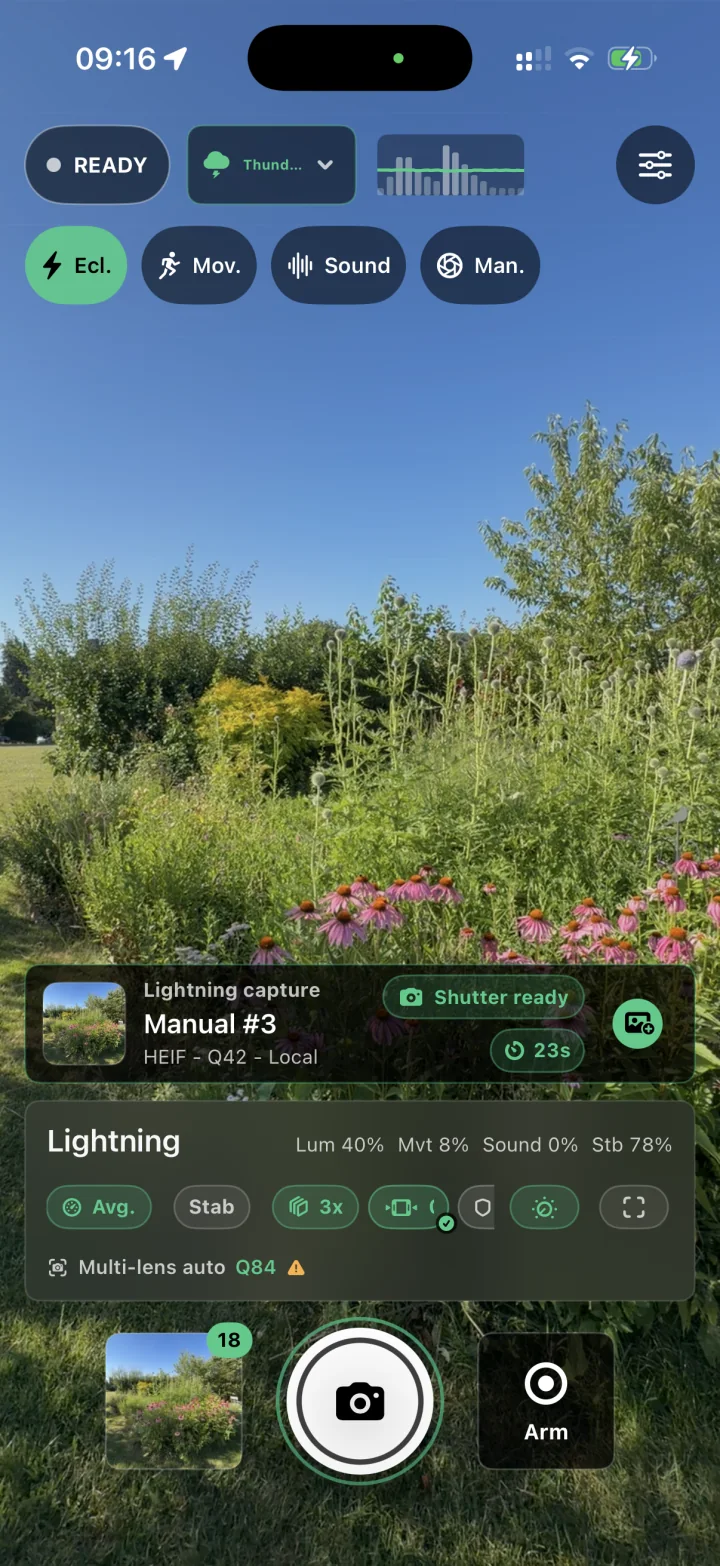
Automatic capture is useful only when the ordinary camera stays understandable. HyperCam keeps readiness, the latest capture, the live signal and the shutter on one surface.
Get there sooner
The current build exposes native Apple launch surfaces. Availability depends on the iPhone, iOS version and the final shipping configuration.
Open Capture, the last fast mode or a last-mode photo from the app icon.
Keep selected capture paths close on supported Home Screen, Lock Screen and Control Center surfaces.
Prepare named trigger modes and first-shot paths without navigating a settings tree.
Use Apple's dedicated locked-camera extension path for a focused capture experience on supported devices.
Connect supported App Intent controls to the system action people already use.
Open a documented trigger or preset route from an intentional user-facing automation.
After the trigger
The repository goes beyond a detector: captures can stay in an app-local gallery, carry camera metadata and move through native photo workflows when the device supports them.
Local by default
Camera analysis, captures, settings, presets and the internal gallery are designed to stay on the iPhone. There is no HighRoad account, advertising SDK or third-party analytics SDK in the current build.
Decision guide
HyperCam is built around the iPhone's own camera. Single-purpose apps can be simpler, while hardware triggers are the better fit when the goal is to fire a DSLR or mirrorless camera. The source-led guide compares those jobs without invented rankings.
Straight answers
These answers describe the verified product scope and its limits.
HyperCam is being reviewed for release. Public availability has not been confirmed in the checked stores. Contact HighRoad Software for access and current release status.
No current repository feature establishes that workflow. HyperCam captures with the iPhone. Choose a compatible hardware trigger such as a camera-connected light, sound or laser trigger when the external camera is the subject of control.
The documented build stops the camera when the app moves to the background during an active capture or trigger session, then explains that state on return. It should not be treated as a surveillance or security camera.
No. Detection, camera readiness, light, movement, device capability, thermal state and shutter timing all matter. HyperCam exposes calibration and field diagnostics, but it cannot guarantee a capture.
The page shows the camera interface in Lightning mode. It does not represent a captured lightning event.
Get HyperCam
Keep the app open and armed while waiting for a trigger. Contact us for current availability and pricing.