At the charger
Your car is parked for half an hour. Watch the video you started earlier on your iPhone. An external receiver needs to support AirPlay video; test your setup first.
 CarScreen
For the moments you stop
A video from your files. A link. A playlist. Bring your media, choose an AirPlay or HDMI screen, and pick up where you left off.
See how it worksTestFlight beta in preparation · not yet on the App Store
iPhone and iPad · iOS 18 or later
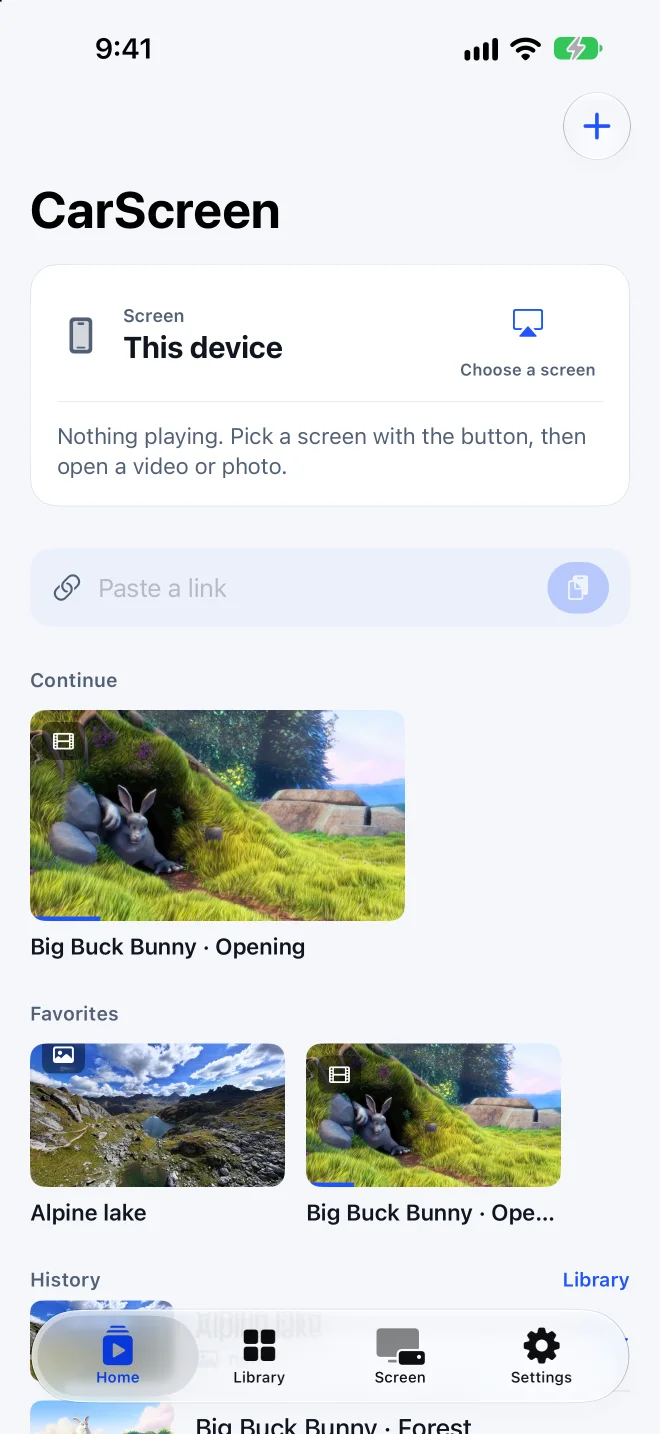
No account and no channel list to scroll through. You bring the media; you choose a compatible screen.
Paste a video link or an M3U playlist, choose videos and photos from your library, open files, or scan a QR code with the camera.
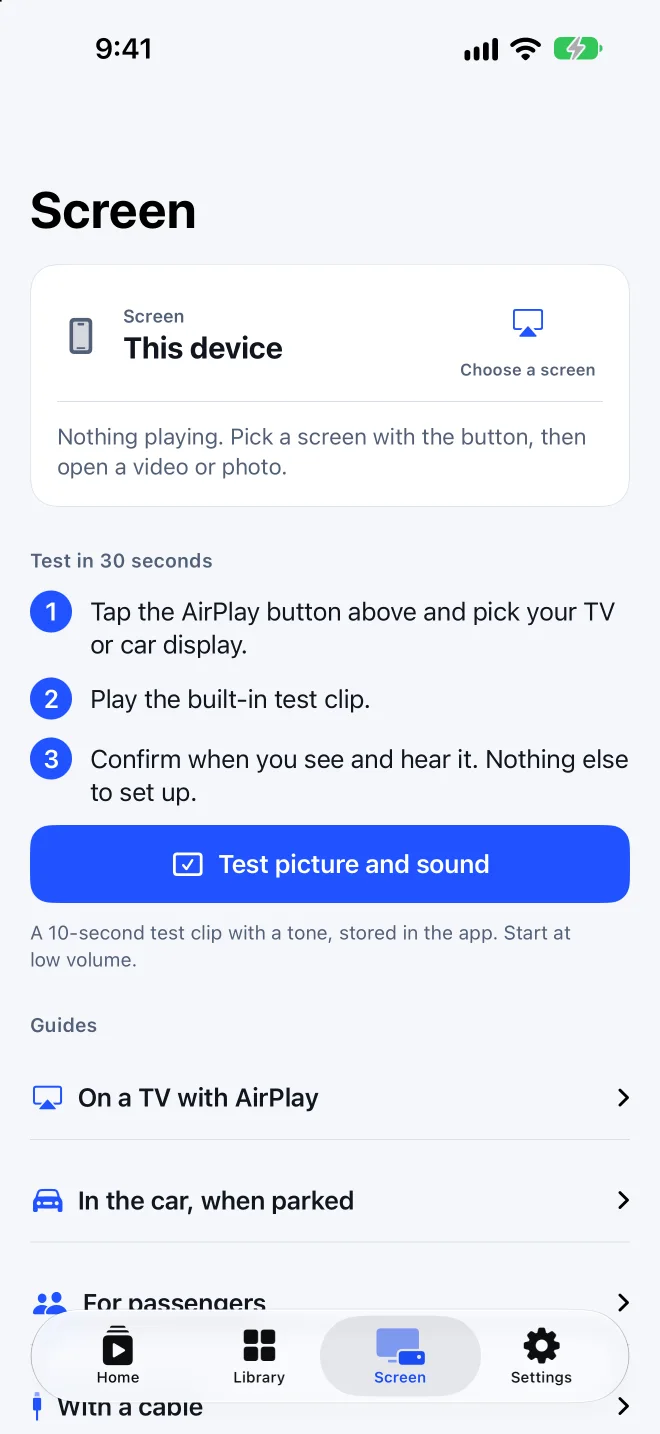
Tap the AirPlay button and choose your TV. With a USB‑C or Lightning AV adapter, the picture fills a hotel TV or a monitor. A compatible receiver may support AirPlay video while parked. Test picture and sound first; compatibility has not been verified for specific vehicles.
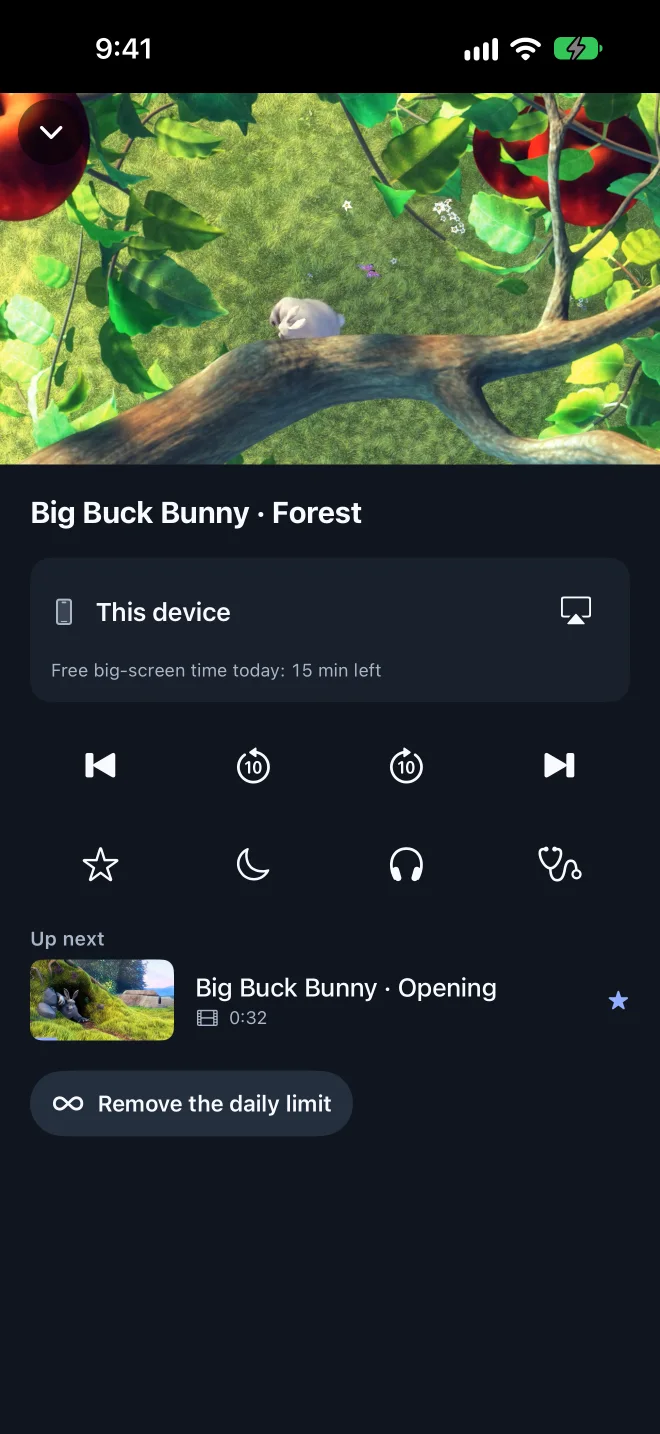
CarScreen keeps your history, favorites and resume points. The player queues the next video, and a sleep timer stops playback for you.
Your car is parked for half an hour. Watch the video you started earlier on your iPhone. An external receiver needs to support AirPlay video; test your setup first.
Plug an HDMI adapter into the TV. Photos and videos fill the screen; the iPhone stays a remote with play, pause and next.
Send a video to an Apple TV or an AirPlay-compatible TV, then use your phone for something else.
Open an album and start a slideshow. With an external display managed by the app, the TV shows the photo alone; screen mirroring may also show your device interface.
Privacy
The library index is encrypted on the device. Imported files use iOS file protection. No CarScreen account, no ads, no analytics or tracking SDK. Media providers receive requests when you add, refresh or play remote media, including thumbnails.
Read the privacy policy →A compatible receiver may support AirPlay video while parked. Run the test clip first. Compatibility has not been verified for specific vehicles. Vehicle and display restrictions vary; use video only while parked. Native CarPlay is not included.
Yes, if the TV accepts AirPlay: check the receiver manufacturer’s current compatibility documentation. Pick the TV with the AirPlay button. A compatible AV adapter and an HDMI input offer another option; test your setup first.
No. CarScreen is a player. It plays your own videos and photos, links and playlists you are entitled to use. It does not supply, find or unlock content.
M3U and M3U8 playlists and HLS streams over HTTPS, up to 20,000 entries. Duplicate or non-HTTPS entries are skipped and counted.
Open a photo in CarScreen, then connect an HDMI adapter or start Screen Mirroring from Control Center. On an external display managed by the app, only the photo is shown; the iPhone keeps the controls. Screen Mirroring may also show your device interface.
Free use includes unlimited playback on the iPhone, one playlist and 15 minutes per day on big screens. Pro removes the daily big-screen limit and the playlist limit.