Choose a scene.
Quiet Office Rain, Autumn Draft, Snowed In, Night Train and seventeen other scenes use different combinations of motion, density, tint and sound.
macOS menu bar app
Choose one of 21 distinct rain, snow, fog, leaves or night scenes, pair it with the ambient sound you want, and adjust everything from the menu bar. Optional sessions run for 25 or 50 minutes.
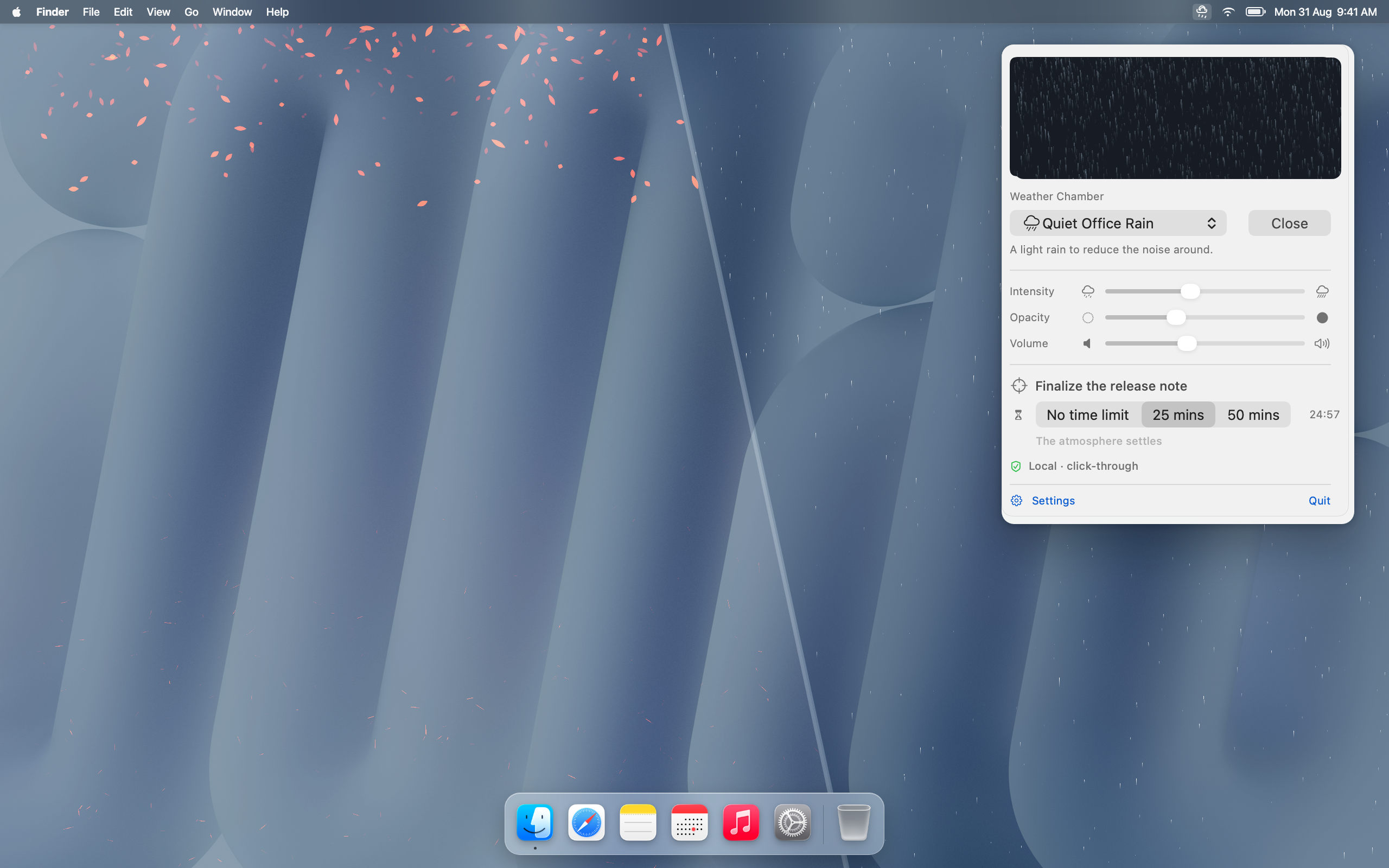
Choose a scene from the menu bar, set its intensity, opacity and volume, and optionally attach a short intention to a 25 or 50 minute session.
Quiet Office Rain, Autumn Draft, Snowed In, Night Train and seventeen other scenes use different combinations of motion, density, tint and sound.
The main controls are available in the menu bar panel. Additional visual and audio settings are in the settings window.
The overlay is click-through and stays behind normal windows by default. Sessions can run for 25 or 50 minutes with one short intention.
Product facts are checked against the current RainDesk repository. Read HighRoad's editorial and corrections method.
Scene library
RainDesk includes rain, drifting leaves, petals, fireflies, dust, fog, snow and sunlight. Sound layers are stored and mixed locally.
Privacy by choice
Visuals and sound run locally. Version 1.1 can optionally match a scene to current conditions: RainDesk coarsens the location before contacting Apple Weather. HighRoad Software receives no location or usage data, and manual mode remains available offline.
Read the RainDesk Privacy PolicyVersion 1.0 is available now; these answers also identify the optional weather feature prepared for 1.1.
RainDesk adds 21 distinct rain, snow, fog, leaves, petals, fireflies and other atmosphere scenes behind Mac windows, with independently selectable bundled ambient sound and timed sessions.
Optionally in version 1.1. If enabled, RainDesk coarsens your location before using Apple Weather to match a scene to current conditions. Manual mode remains available offline.
By default the atmosphere stays behind ordinary windows and the overlay passes clicks through to the desktop and apps.
HighRoad Software receives no app usage or location data. RainDesk has no account, telemetry, advertising or analytics; optional weather following communicates with Apple Weather.
RainDesk costs €3.99 in the Belgian Mac App Store as a one-time purchase with no subscription. Apple shows the applicable regional price before purchase.
Verified 13 September 2026
RainDesk 1.0 is available on the Mac App Store for €3.99 in Belgium as a one-time purchase. Version 1.1 is being prepared for App Review. RainDesk requires macOS 14 or later.