RainDesk / A practical guide
Set up Quiet Office Rain on a Mac, then leave it alone
A restrained 25-minute setup using one scene, a low sound level and a real foreground task, without a productivity promise.
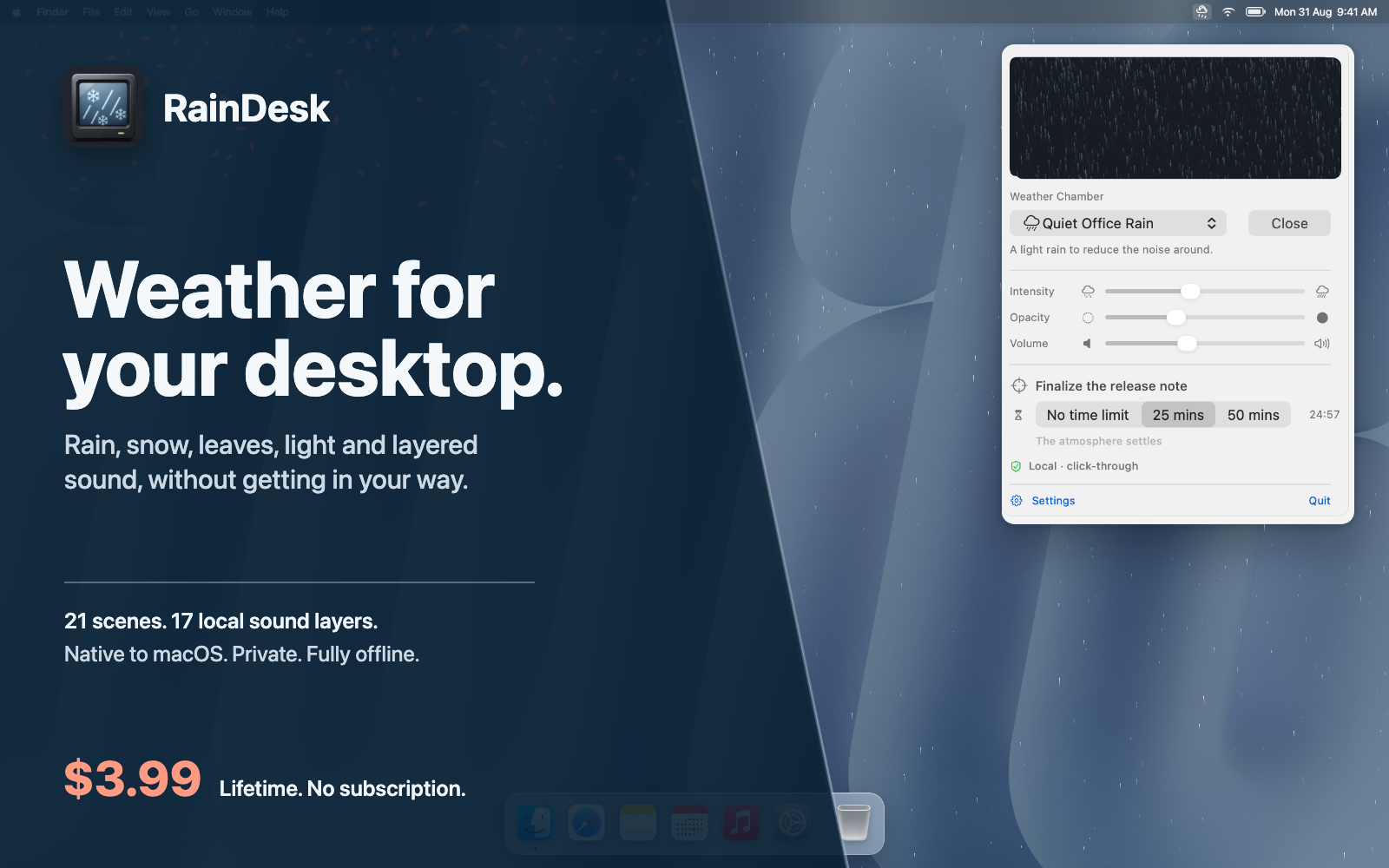
A rainy writing session on a Mac needs fewer controls than it first appears. One scene, one sound level and one bounded piece of work are enough. RainDesk keeps those controls in the menu bar and leaves the document in front.
The app includes visual rain, snow, fog, leaves, petals, fireflies, dust, sunlight and night scenes, plus local ambient sound layers. Optional 25- and 50-minute sessions provide a beginning and end without turning the atmosphere into a claim about focus.
Here is a restrained setup for writing, editing or any task where the foreground must remain readable.
Prepare the document first
Open the file you intend to work on before choosing the atmosphere. Place reference material and notes where they need to be. Close windows you already know you will not use.
This order matters because the RainDesk scene should adapt to the workspace, not become the workspace. You need to see whether the animation competes with the actual background, sidebars and text colours.
Choose a task that can reasonably fit inside one session: edit a section, outline an article or review a chapter. “Work on the book” is too broad to tell you what the end of 25 minutes means.
Start with Quiet Office Rain
Open RainDesk from the menu bar and select a restrained rain scene. Lower intensity until movement is visible without pulling your eye from the document. Set opacity so window edges and the desktop remain distinct.
Click through the apps you will use. The atmosphere is intended to stay behind ordinary windows and pass clicks through. If anything feels visually crowded, reduce intensity or choose a simpler wallpaper rather than trying to compensate with more effects.
A scene can look impressive in a full desktop screenshot and still be too busy beside small text. Judge it from normal reading distance.
Add sound below the foreground
Select a bundled sound layer only after the visual feels settled. Raise the volume from silence until it is just present, then stop. The target is not to cover every sound in the room.
If you use headphones, keep the level comfortable. If you already have music or spoken audio, consider leaving RainDesk silent. Visual and sound choices are independent; the app does not require both.
RainDesk stores and mixes the included sound locally. There is no account required for a writing session.
Give the timer one concrete intention
Choose 25 minutes for the first session and write an intention that names the deliverable: “rewrite the opening two paragraphs” is clearer than “focus.” Start the timer and return to the document.
Do not use the session as a test of whether rain makes you more productive. One writing block cannot establish that. Notice only whether the desktop felt easier to inhabit and whether the controls stayed out of the way.
When the timer ends, save the document. If you want another block, take a short break and choose deliberately. The app also offers 50 minutes, but a longer timer is not automatically a better one.
Keep the setup repeatable
A useful atmosphere is easy to return to. Note the scene, intensity, opacity and approximate volume that worked. Avoid changing all four whenever the writing becomes difficult; the paragraph may be the problem, not the weather.
Try a different scene on another day only when there is a reason. Fog may sit better behind a dark document. Leaves may be pleasant while reviewing images but distracting during detailed text edits. The scene belongs to the task and screen, not to a universal productivity formula.
Know what this guide covers
This guide covers RainDesk 1.0’s manual scene workflow. The Mac App Store app uses a one-time regional price with no subscription, and features prepared for a later version are outside this setup.
The app’s documented boundary includes local manual visuals and sound, no account and no advertising or analytics. The current privacy page is the place to verify details before purchase.
Open one document, choose Quiet Office Rain at low intensity and give the next 25 minutes one visible outcome.