Cat Fidget / A practical guide
A desktop pet can live in the Mac menu bar without taking over the desk
What the included cat does, how care and behaviours fit around real windows, and where the optional purchases begin.
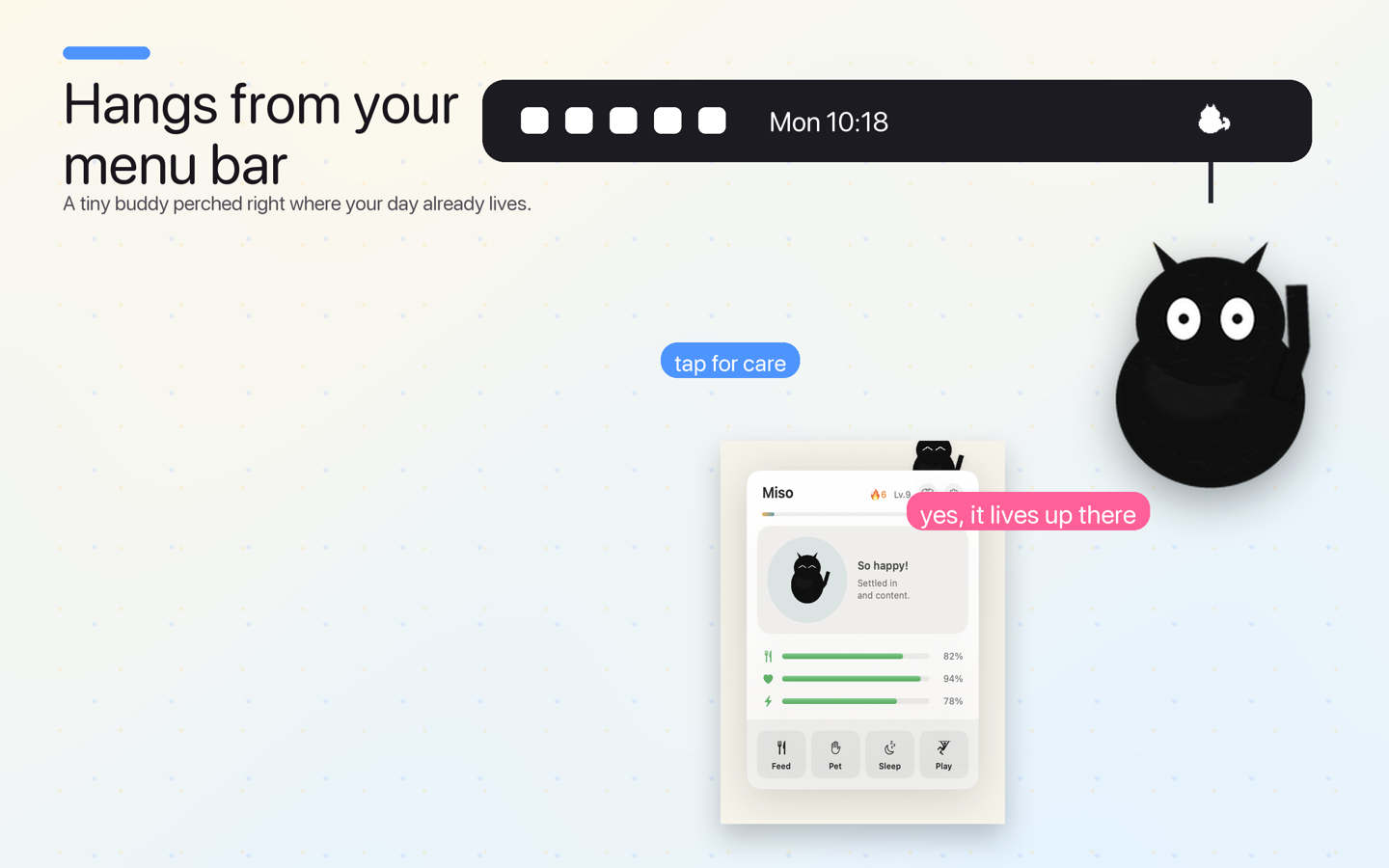
A desktop pet does not need to become another window you manage. Cat Fidget lives from the macOS menu bar, where a small cat can hang near the top of the desktop and open a compact care panel when you choose to interact.
The public Mac app includes the Classic Black cat, several behaviour choices and simple Feed, Pet, Sleep and Play actions. It is free to try, with optional one-time purchases for other cats and wardrobe items. There is no subscription.
The useful question is not whether a pet can make you productive. It is whether this kind of small, native presence fits the way you use your Mac.
What is a menu bar desktop pet?
Cat Fidget is a macOS companion rather than a full-screen game. The cat appears at the top of the desktop, anchored to the menu-bar area. The menu-bar control opens the care popover and the wider wardrobe when you need them; the cat does not require a permanent dashboard.
That makes the interaction easy to leave alone. You can keep working, glance at the cat, then open the panel for a brief action. The product does not claim to improve focus or wellbeing. Its value is more modest: making the desktop feel a little less impersonal.
Start with the included cat
Download the app and begin with Classic Black. The free experience includes the core companion and care loop. Try it before deciding whether another look belongs on the desktop.
The care panel shows the cat’s state and four direct actions: Feed, Pet, Sleep and Play. These are lightweight interactions, not a daily obligation or a streak system. If you want a desktop pet that asks for constant attention, this deliberately calmer format may feel different.
Cat Fidget also offers Calm, Follow, Play, Elastic and Bounce behaviours in the current public description. Pick the setting that feels natural around your windows. A motion-heavy choice can be fun while the desktop is idle; a calmer choice may sit better beside a long writing or design session.
Keep the cat visible without losing the Mac
The best setup is the one that preserves the work underneath it. Put the cat where it is easy to notice but does not cover controls you use repeatedly. Open a typical document, browser and communication app, then watch how the chosen behaviour fits that arrangement.
Give the setup a full working session before changing everything. The novelty of a new companion can make any motion feel louder in the first five minutes than it will later. If it remains distracting, choose a calmer behaviour or close the app. The cat should earn its place by being pleasant to have around, not by demanding attention.
What costs money?
The app itself is free to download. Classic Black and the core interaction are included. Other breeds, outfits and accessories are optional purchases, and the Cat Lover Pass is an optional one-time way to unlock the broader catalogue. Cat Fidget does not use a recurring subscription.
Apple shows the exact local price before purchase. The website and an article can explain the model, but the Mac App Store purchase sheet is the current price source for your storefront.
Does Cat Fidget need an account?
No Cat Fidget account is required, and the current product positioning excludes advertising. The app can work with a photo you deliberately choose for a custom preview; that separate flow uses a file picker and on-device background removal. It does not imply standing access to the Photos library.
Read the Cat Fidget privacy page for the exact boundary before importing a personal image. App Store purchases remain handled by Apple.
Who is this for?
Cat Fidget fits people who enjoy small native Mac details, want a companion that does not take over the screen and prefer optional one-time extras to a subscription. It may not fit a tightly controlled work Mac, a desktop already crowded with utilities or anyone who does not want animated decoration near the menu bar.
Try the included cat first. If the small interaction still feels welcome after the novelty wears off, the wardrobe becomes a choice about personalising something you already use.
Start with Classic Black, choose one behaviour and see how the cat fits a real hour at your Mac.