Choose two folders.
Select a source and destination through the macOS folder picker. Relay accesses only what you choose.
Folder backup for Mac
Relay shows every new file, safe replacement, and archive move before it touches your destination folder.
Mac release in preparation · not yet available.
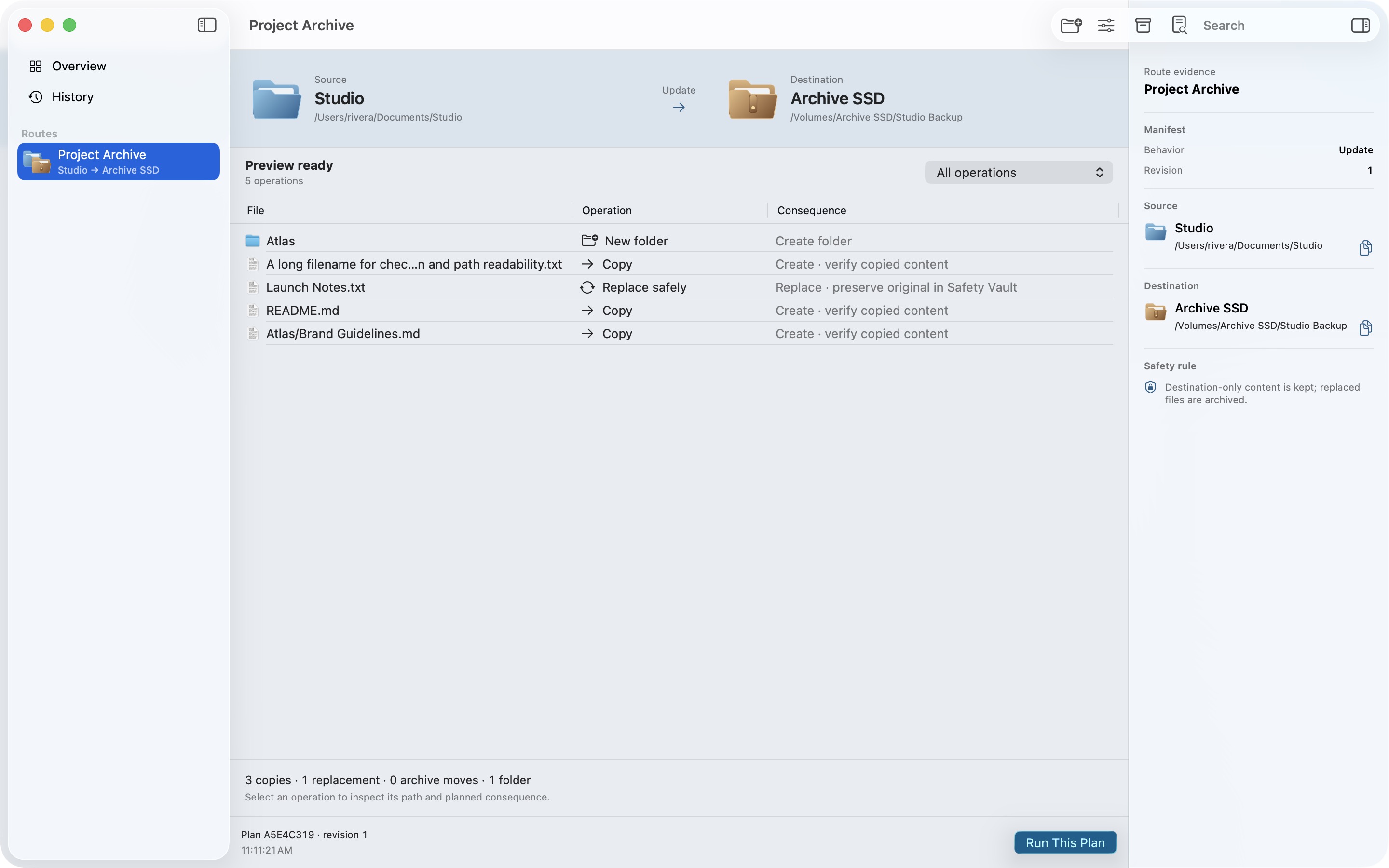
A visible safety boundary
Most folder tools ask you to trust a mode and press Sync. Relay makes the consequences readable first.
Select a source and destination through the macOS folder picker. Relay accesses only what you choose.
Inspect each copy, replacement, folder creation, and archive move in a sealed preview.
If either endpoint changes, the stale plan is blocked and must be rebuilt before execution.
Real native screens
Every image below comes from the current macOS build with fictional local data.
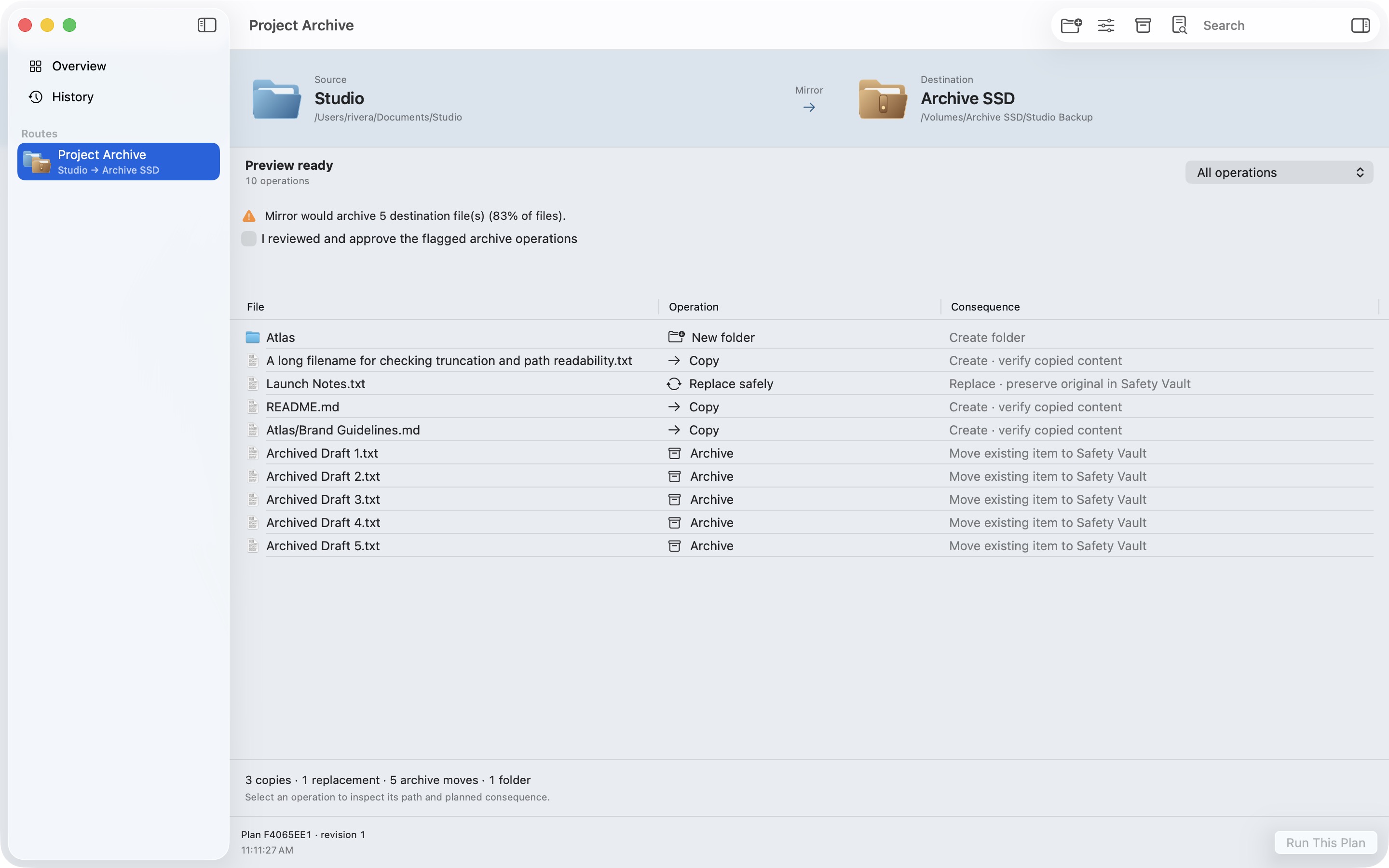
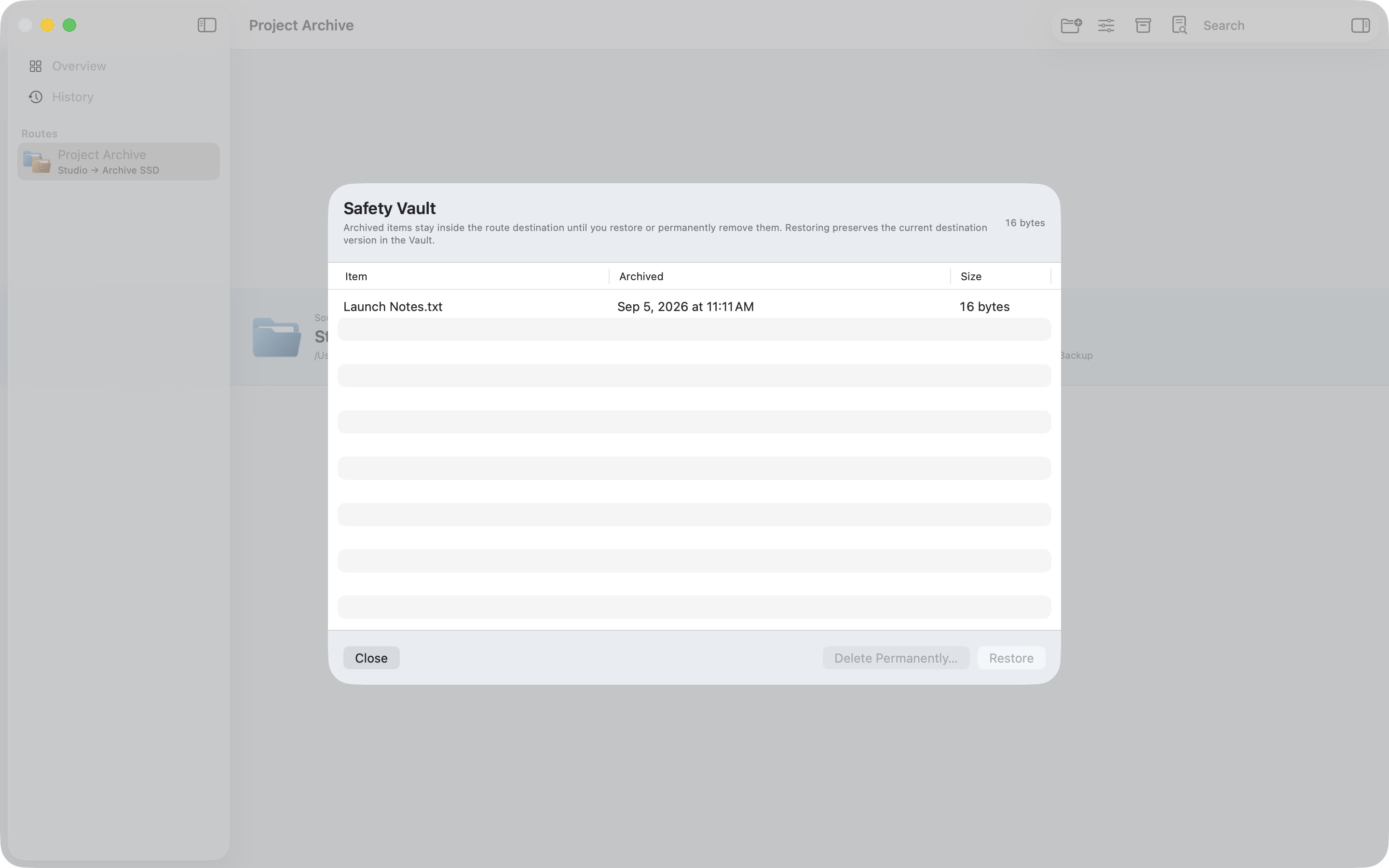
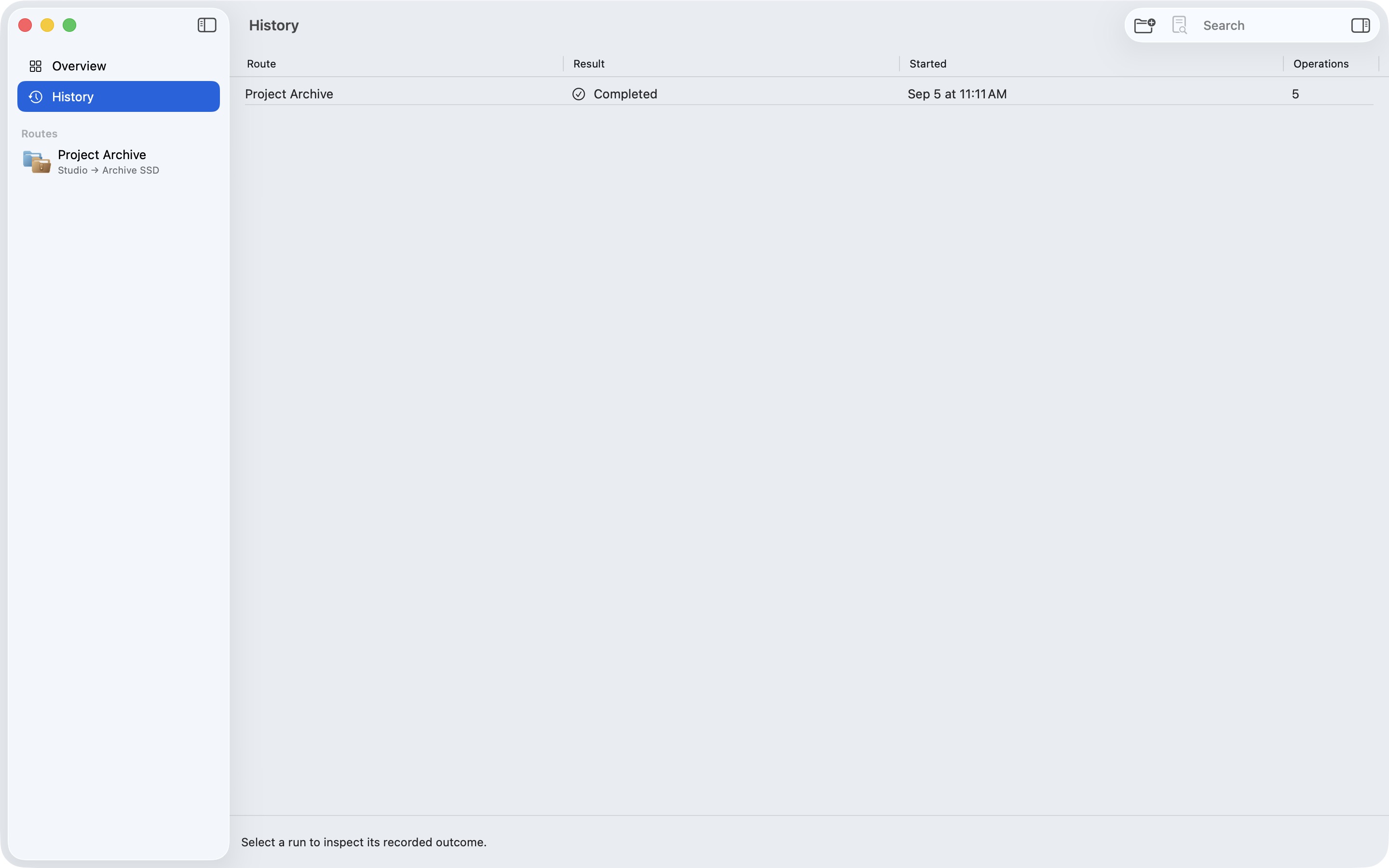
Launch campaign
A focused campaign system built from the real product: editorial typography, Relay’s route motif, and one promise on every format.
Designed for a specific job
Relay fits project archives, external-drive copies, photo handoffs, and any folder mirror where you want to see exactly what will change.
It is manual, local, and one-way. It does not offer schedules, cloud connectors, NAS integration, bidirectional sync, bootable clones, or full filesystem-metadata preservation.
Current status
Relay is not yet publicly available. No public price or purchase is offered on this page.
Read the current product scope, then check this page again after a public release is confirmed.
Direct answers
Relay copies one local folder to another. It always creates a readable, immutable plan before running.
No. Destination-only items move into Safety Vault. Permanent purge is a separate explicit action.
No. Version 1.0 has no account, analytics, advertising, cloud service, or third-party SDK.
No. Time Machine remains the right tool for automatic whole-Mac history and recovery. Relay is for deliberate folder-to-folder replication.
Relay is in preparation and is not publicly available on the Mac App Store. This page will link to the public listing only after it is live.