SongForge / A practical guide
Rework a recording or start a new song from a prompt?
Compare source-guided Rework with a fresh musical brief in SongForge, using your own recording as the starting idea.
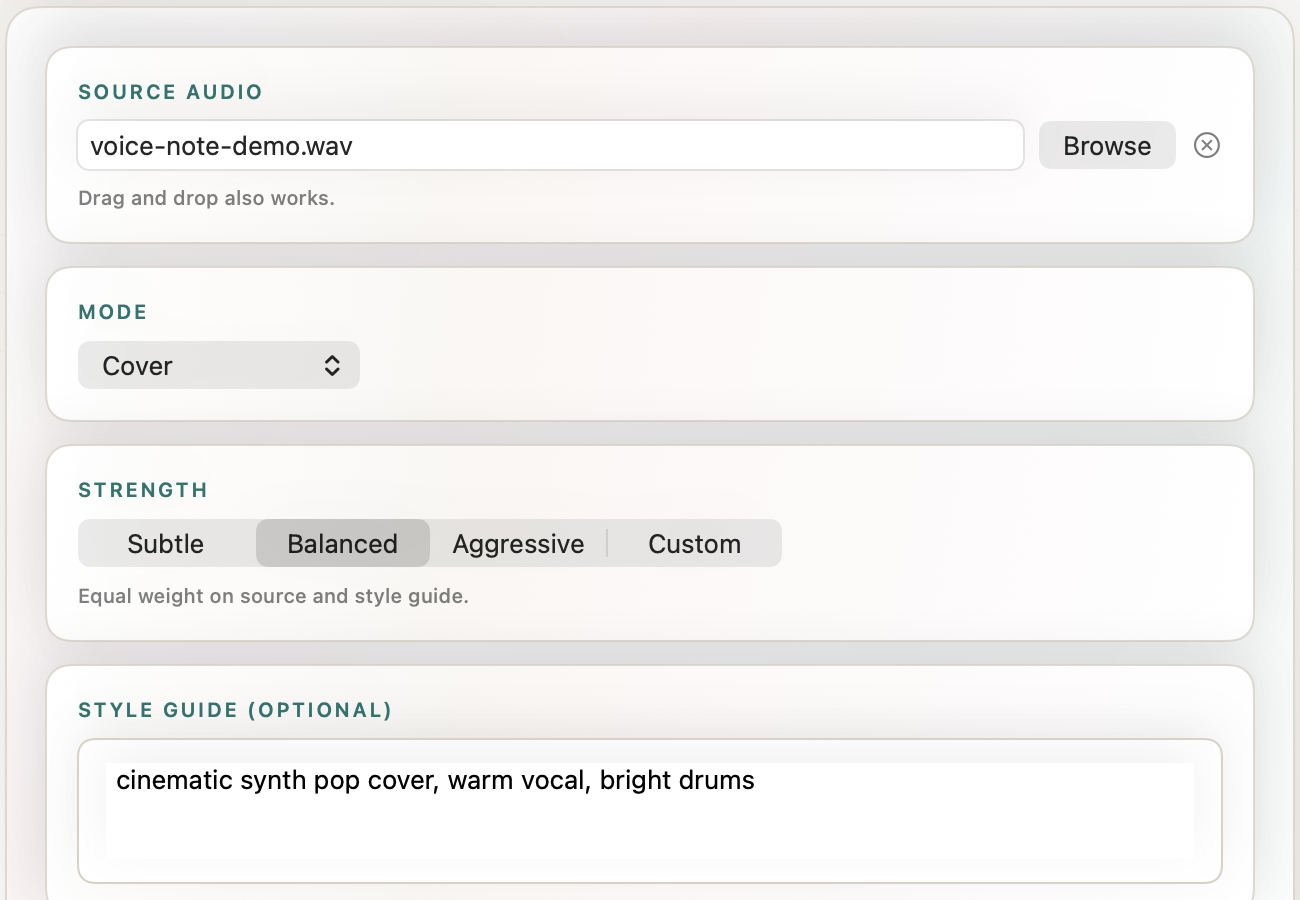
Choose Rework when an existing recording contains a musical idea you want the next take to respond to. Choose a fresh generation when you mainly want to explore the description of that idea. SongForge supports both workflows and keeps their results available for listening in a local Library.
The difference matters when a rough recording has one good moment. It might be the contour of a guitar phrase or a vocal rhythm that arrived before the lyric did. You may want to carry that moment forward. On another day, the recording may simply remind you of a mood you would rather describe in a cleaner new brief.
An eight-bar guitar example
For this suggested exercise, use an eight-bar phrase you recorded yourself. Pick a file you have the rights to use, in a supported MP3 or WAV format. Choose a short passage with a clear idea and listen to it before opening the generation controls.
Write one sentence about what you want to preserve.
Keep the gently rising guitar phrase, with a relaxed indie-pop backing and room for a restrained lead vocal.
Then write a second sentence that describes the idea without relying on the audio.
Relaxed indie-pop with a gently rising guitar motif, light drums, warm bass and an intimate vocal.
The first description accompanies a source. The second has to stand on its own. This small distinction helps you choose what to try first.
Put the source to work in Rework
In SongForge, select a Library source or bring a supported recording into the Rework workflow. Review the available mode, source strength and style guidance. Choose the control values that fit the source and the kind of change you want, then create a new take.
Listen for the part of the original you named. Does the new result retain a recognizable contour or rhythmic gesture? Does it turn the idea into a different arrangement you like? The useful degree of resemblance depends on the project. A close sketch and a loose reinterpretation can both earn a place in the Library.
You can see a real source-to-new-take session in the studio’s Rework demonstration. The video documents its own recording and version of the workflow. Watch the SongForge Rework demonstration.
Try the description on its own
For the fresh take, enter the second brief without attaching the guitar recording. Keep the requested tempo and working length similar where practical. The generator can now respond to the description without that audio source.
Compare the two outputs against your original sentence. The source-guided take may contain a recognizable gesture you want. The fresh version may find an arrangement that suits the lyric better. Keep the one whose actual result serves the project, and save a note about why you chose it.
This comparison also helps when you are stuck revising. If the source has become a distraction, a new brief can open another direction. If the descriptions keep missing the musical detail you hear in your recording, Rework gives that detail a more direct route into the next attempt.
Hear another complete SongForge result
Late Checkout is a separate unedited SongForge generation labelled Afro-house and alternative R&B at 122 BPM. It provides a full listening example of an arrangement with a clear groove. It is separate from the guitar exercise and from the older recording shown in the Rework video. Listen to Late Checkout.
SongForge brings fresh generation, source-based Rework and local playback into one Mac workspace. Normal standalone generation runs locally after compatible model setup. Three completed creations are included, and continued creation and MP3/WAV export require the one-time Pro unlock.
Explore SongForge · SongForge on the Mac App Store · High Road Software
SongForge Rework and creation workflow · Product privacy details