WeatherTracking / A practical guide
A personal weather station app should begin with your own readings
Connect one supported source, verify the first observations and build a local station history without confusing it with a forecast.
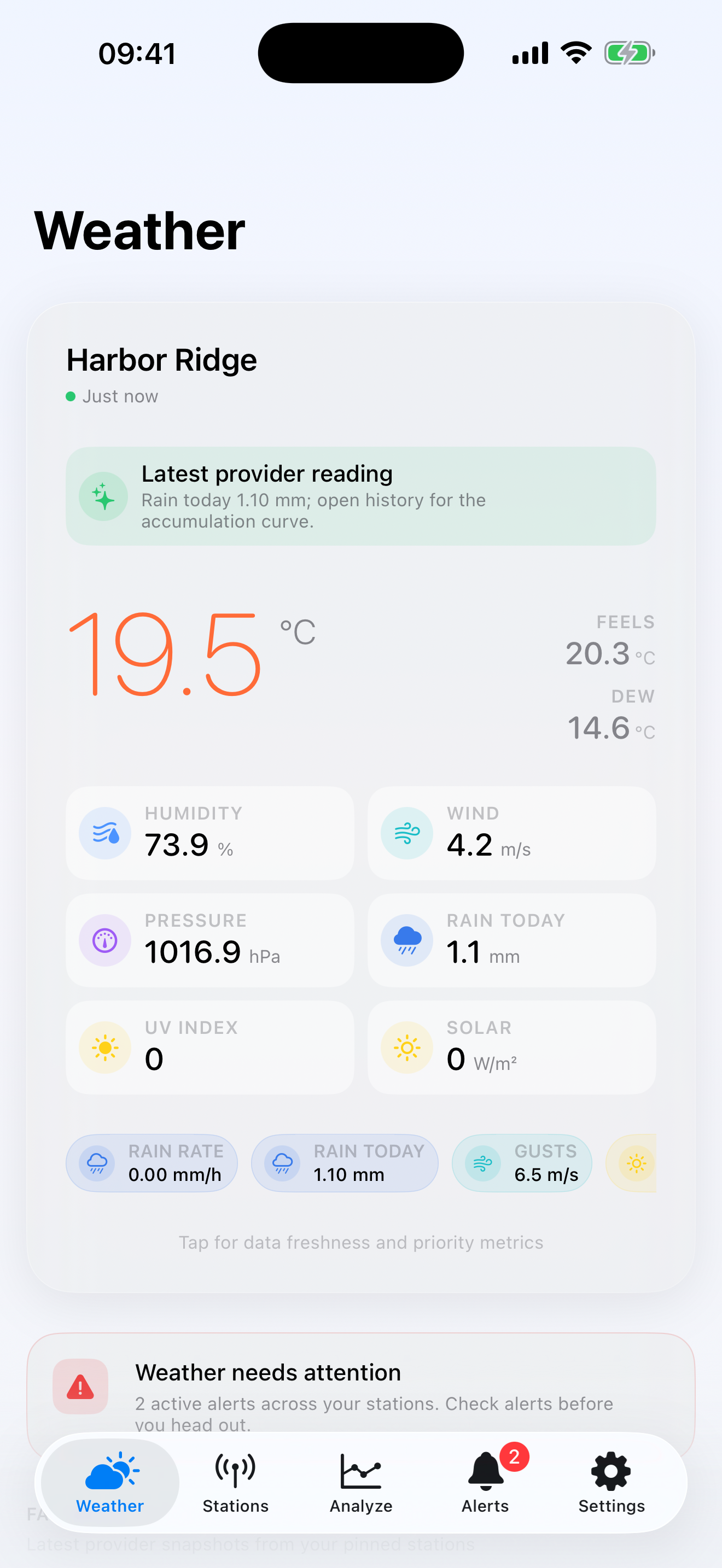
A personal weather-station app should answer a different question from a forecast app. A forecast estimates what may happen across an area. WeatherTracking reads the observations produced by your own station and keeps a local history so you can examine what happened at your home, garden or property.
The current iPhone and iPad app connects to Weather Underground, Tempest, Ambient Weather, Home Assistant, Davis WeatherLink Live or an Ecowitt LAN gateway. Provider coverage and setup differ, so the first job is to identify where your station’s data actually comes from.
WeatherTracking is not an emergency or life-safety service. It is a way to organise, inspect and export personal-station observations.
Start with the station, not the app
Write down the station model, its current data service and the credentials or local gateway details that service requires. A station uploading to Weather Underground follows a different connection path from an Ecowitt gateway available on the local network.
Then add one station to WeatherTracking. The free app supports one station, current conditions, maps, a seven-day history, CSV export and one local alert rule. That is enough to confirm that readings arrive and the source is the one you expect before considering the Pro unlock.
Do not use the first plausible number as proof that setup is correct. Compare temperature, humidity, pressure, wind and rain values with the station console or provider. Note the reading time and unit. A stale observation can look reasonable while still describing the wrong moment.
Read the dashboard as measured conditions
The home dashboard shows the latest available provider reading and sensor summary. It is not a regional forecast. “Just now” or another freshness label matters because personal stations and upstream services can pause, delay or omit observations.
When a value surprises you, check provenance before interpreting it. Is it an outdoor sensor, an indoor sensor or a derived value such as feels-like temperature? Which source route supplied it? Was the station online at the time?
WeatherTracking includes data-quality diagnostics and source provenance because the history is only useful when its origin remains visible. A chart cannot repair a sensor that was shaded, moved or disconnected.
Build history without assuming unlimited coverage
The app stores observations on the device. The free tier includes seven days. The one-time Climatology & History purchase unlocks extended or custom history, records, comparisons, multiple stations, unlimited local alert rules and advanced data-health tools.
Provider history is still subject to what each provider exposes. Buying Pro does not manufacture older observations that were never available. If you already have a supported WeatherTracking CSV or Feed v1 JSON archive, the app can preview, validate, deduplicate and import it locally.
That makes an early export useful. After the first clean day, create a CSV and inspect its timestamps, units and station identity. A small export is easier to understand than discovering a mapping problem after months of collection.
Set alerts with the right expectation
WeatherTracking evaluates local alert rules after successful refreshes. It is not a guaranteed push-warning system for dangerous weather, aviation, marine use or any other safety-critical decision.
Use an alert for a practical personal threshold you can verify, such as checking recent rain accumulation before garden work. Keep official warnings and emergency information in their proper services.
What stays local?
WeatherTracking does not require a WeatherTracking account or include advertising. The observations, station journal and imported archive are stored on the device. Connections to the source providers still use the provider credentials and network path required to retrieve data.
Complete backups can preserve stations, observations, aggregates, source routes, provenance, journal entries, alerts and preferences without exporting credentials. Read the privacy page before connecting a station if you need the exact data boundary.
When is Pro useful?
Stay with the free app while you prove the connection, inspect current readings and learn the seven-day history. Pro becomes relevant when the value comes from longer climatology, multiple stations, custom history, comparisons, records or more advanced data-health work.
The unlock is a single non-consumable purchase, not a subscription. Apple shows the current local price before purchase.
Connect one station, compare the first readings with the source and export a small sample before building a long archive.