SongForge / A practical guide
Turn one sentence into an editable music brief on your Mac
Use SongForge Creative Assistant to turn a loose idea into musical choices, then apply only the suggestions you want.
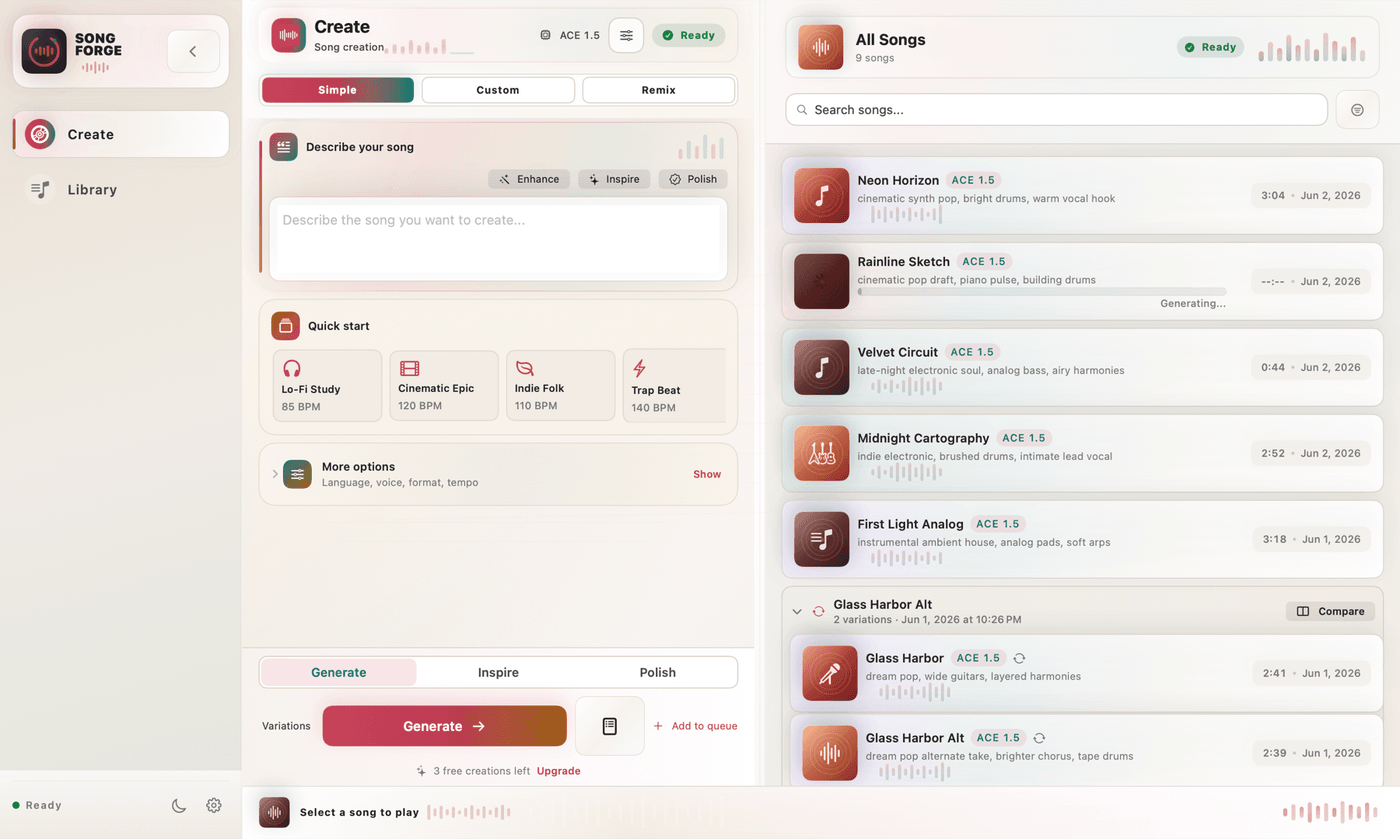
A useful music prompt gives the generator a direction you can hear. Start with a scene, choose a few musical details, then check the suggestions before generating. SongForge’s Creative Assistant lets you preview a New direction or use Improve brief, edit the suggestion and apply selected fields to your Mac project.
“A late-night train ride” is a good beginning. You can picture the window and the lights passing outside. It still leaves the rhythm, instruments and vocal delivery open. That is where a loose idea becomes a brief you can work with. You decide which parts of the scene should be audible, and the app gives you a place to keep those decisions together.
Give the scene a musical job
For this suggested example, imagine a short vocal sketch for a reflective travel film. Write down the feeling first, then name the sounds that would help it.
Late-night train ride. Sparse drums, warm bass, muted electric piano, restrained lead vocal, a small lift in the chorus. Start around 92 BPM.
Each phrase changes something you can listen for. Sparse drums leave more room between hits. A muted piano suggests a softer foreground. A small chorus lift gives you a way to judge whether the arrangement develops.
Tempo and style are directions for the model. After generation, listen to how the result interprets them. A requested number helps you express an intention, while the audio tells you what the model actually produced.
Use the assistant without losing the parts you like
In SongForge, open a creation draft and use Creative Assistant when the starting idea needs more shape. Its New direction and Improve brief options produce a preview of suggested values. You can edit that preview, apply all of it, choose selected fields or dismiss it.
Suppose you already have four lines of lyrics. The suggestion may give you a useful style description and a tempo idea. Apply those fields and keep the lyric you wrote. This makes the preview especially helpful during an unfinished session. You can borrow a better musical description without replacing everything around it.
When a suggestion is too busy, reduce it to the choices you actually care about. In this example, that might mean keeping the piano and restrained vocal while removing a proposed string section. You now have a brief whose main decisions you can recognize on playback.
Listen with the brief beside you
Generate a take after compatible model setup, then listen once without adjusting anything. On the second pass, return to the brief. Where does the piano sit? Does the vocal leave space around the words? Does the chorus rise enough to mark a change?
Choose one revision from that listening pass. If the track already has the right pace but feels crowded, simplify the instrumentation request before changing the tempo too. SongForge keeps the generation and local Library in the same workspace, so the next take remains connected to the work you are doing.
For a separate example of an actual SongForge output, listen to Neon Afterglow, a French electro-pop generation presented at 126 BPM. It demonstrates the sort of full vocal-and-instrumental take the local workflow can produce. Its source brief is separate from the suggested train-ride exercise above. Listen to Neon Afterglow.
Keep the decisions you want to revisit
A useful saved take gives you a reference for the next session. Keep a short note about the change you want before opening the assistant again. “Less percussion in the verse” is easier to act on than “make it better.”
SongForge runs normal standalone generation locally after compatible model setup. It requires macOS 14 or later, with Apple silicon recommended, and model files take approximately 6–15 GB depending on quantization. Three completed creations are included. A one-time Pro purchase enables continued creation and MP3/WAV export.
Explore SongForge · Download on the Mac App Store · High Road Software
Product workflow and access details are documented by the publisher. The underlying model has its own requirements and licence. SongForge workflow · ACE-Step 1.5 project