SongForge / A practical guide
Compare two musical directions without changing the song’s pace
Use one lyric and the same requested tempo in SongForge to compare an acoustic direction with an electronic arrangement.
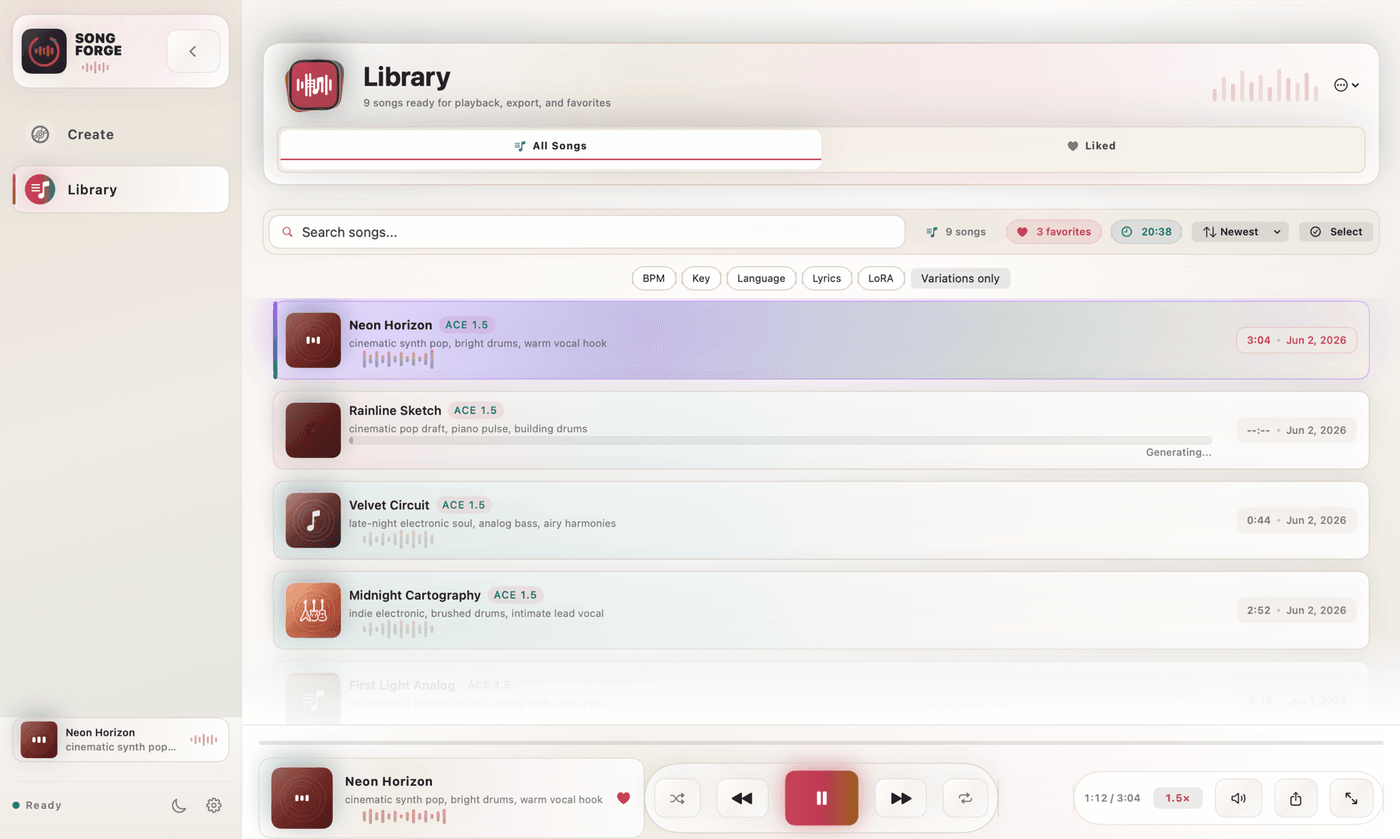
To compare styles, give two takes the same lyric, requested tempo and length, then change the instrumentation and arrangement description. SongForge’s Custom workflow lets you keep those musical choices together. Listen to the resulting takes for phrasing, texture and space before deciding which direction suits the song.
A lyric can sound at home in several genres. The choice is often clearer once you hear how each arrangement treats its pauses. An acoustic guitar may leave a line exposed. A synthesizer pattern may give the same line more movement. Keeping the requested pace steady makes those choices easier to discuss.
Start with one short lyric
Here is an original four-line example for the comparison.
A train of lights beyond the glass
The little towns are sliding past
I keep your message on my phone
The morning brings the journey home
Set a common request of 92 BPM and a short working length. Pick one key if it matters to the idea. Keep the lyric language and the basic vocal description the same. You now have enough shared material to recognize the song in either direction.
These settings describe the request sent to the model. After generation, check the performances by ear. The model’s interpretation of timing, vocals and structure can vary between takes.
Give each direction a different sound palette
| Direction | Suggested style description | What to listen for |
|---|---|---|
| Acoustic | Fingerpicked acoustic guitar, warm bass, light brushed percussion, close lead vocal, restrained chorus | The space around the vocal and the sound of the quieter lines |
| Electronic | Soft synthesizer pulse, rounded bass, dry electronic drums, close lead vocal, restrained chorus | The relationship between the pulse and the phrasing |
| Later revision | Keep the preferred palette and change one arrangement detail | Whether the revision solves the issue you heard |
Enter the acoustic direction in SongForge, generate and retain the take. Then reuse the lyric and common requested settings for the electronic direction. Change the style description rather than rebuilding the whole brief from memory.
Avoid deciding from the opening seconds alone. Listen through the first vocal entrance and the first change of section. A striking introduction may lead into a crowded verse. A modest opening may give the lyric exactly the room it needs.
Compare the decisions that matter to the project
Imagine that the song will accompany a travel sequence with spoken narration. The better direction may be the one that leaves more space around the voice, even if the other is more exciting on its own. For a standalone song sketch, the vocal and chorus may carry more of the decision.
Write down one reason for your preference. “The acoustic version lets me hear the last word of each line” gives you a usable next step. “The synth version has a pulse I want to keep” is equally specific.
SongForge’s local Library keeps the listening stage in the same app as creation. Once you choose a direction, you can revisit its source, refine the brief or use Rework when an existing take contains something worth retaining.
A listening example with its own groove
For a separate actual output, try No Signal, All Night, an unedited SongForge generation labelled UK garage pop, duet and 132 BPM. Listen to the balance between vocal phrases and the rhythmic backing. It is a finished example from a different brief, rather than either of the suggested 92 BPM exercises. Listen to No Signal, All Night.
A useful comparison ends with a direction you can explain and keep developing. The advantage of a local music workspace is that the promising take stays near the draft, ready for the next decision.
SongForge requires compatible model setup before local generation. Model files use approximately 6–15 GB of storage depending on quantization. Three completed creations are included, and a one-time Pro purchase enables continued creation and MP3/WAV export.
Explore SongForge · Download SongForge · High Road Software
SongForge workflow and examples · Local ACE-Step model information