WeatherTracking / A practical guide
A useful weather history keeps its gaps, units and source visible
Verify early observations, export a sample, preserve provenance and make backups that can survive a device change.
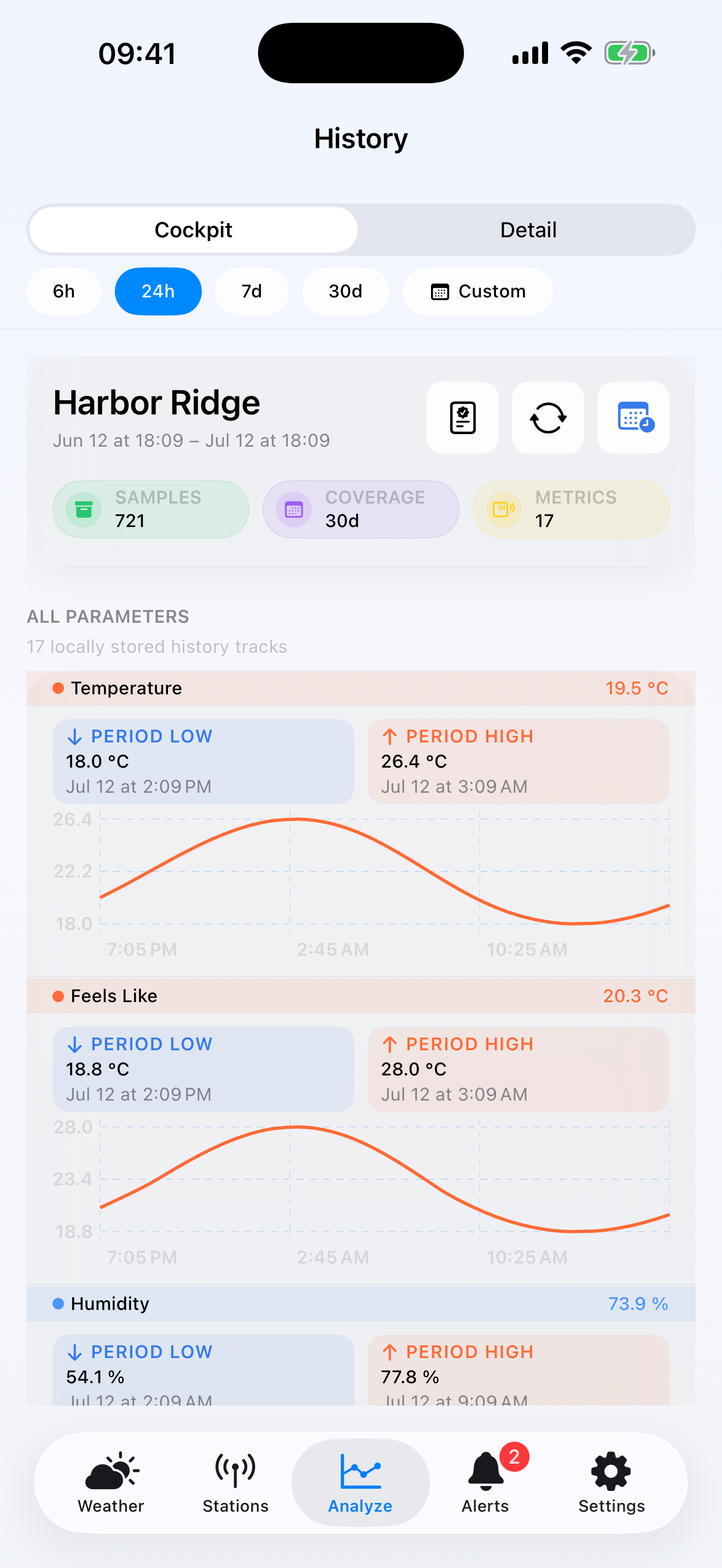
A personal weather station becomes more useful when today’s reading has a history behind it. The work is less glamorous than installing a sensor: preserve timestamps, understand gaps, keep units consistent and make sure a future export still tells you which station produced each row.
WeatherTracking stores observations on the iPhone or iPad and turns them into charts, records, climatology and comparisons. It can also import a WeatherTracking CSV or Feed v1 JSON archive with a local preview, validation and duplicate handling.
The goal is not to collect the largest possible file. It is to build an archive you can explain and restore.
What should a useful station history contain?
At minimum, each observation needs a time, station identity, source and unit-aware values. Temperature without a timestamp is a note. Temperature without a unit can be ambiguous. A rain total without the accumulation period can be misleading.
WeatherTracking keeps source provenance alongside observations so that a chart remains connected to the route that supplied it. That matters if you later switch from one provider to another or compare two stations.
Begin by checking the first day rather than waiting for a month. Look at the timeline, compare a few points with the provider and note any obvious outage. Early verification does not guarantee every future reading, but it catches setup errors before they become a long archive.
Expect gaps and changes
Personal stations go offline. Batteries weaken. Wi-Fi changes. Provider APIs have their own retention and availability. A gap is not automatically an app defect, and a smooth chart is not proof that every observation is real.
When a period looks wrong, ask:
- Was the station producing data?
- Did the provider retain and expose that period?
- Did units or sensor assignments change?
- Was the reading imported, refreshed live or derived from an aggregate?
Document hardware moves and sensor replacements in the station journal. A thermometer moved from a shaded wall to direct sun can change the history even though the software continues to work exactly as configured.
Use short exports as a quality check
The free version includes CSV export. Export a small known period, open it in a spreadsheet and confirm the fields you will need later. Check timezone, decimal formatting and station labels before depending on the file for another tool.
A CSV is useful for analysis and portability; it is not the same as a complete app backup. WeatherTracking’s complete backup preserves stations, observations, aggregates, source routes, provenance, journal entries, alerts, advanced alert settings and preferences. Credentials are deliberately not included.
Keep the backup somewhere independent of the device, then record when it was created. A backup that cannot be found is not a recovery plan.
Import with a preview, not a leap of faith
WeatherTracking can import its portable CSV or Feed v1 JSON formats. The preview shows what the app understands before persistence. Use it to check station mapping, coverage and validation findings.
Duplicate handling matters when a period already exists on the device. Importing the same file twice should not become a strategy for filling gaps. Keep an untouched copy of the original archive, preview the operation and only then save it.
The import processing runs on the device. That keeps the transfer under your control, but it also means the device needs enough space and time to finish a large archive.
Turn history into context
Seven-day history is included in the free app. The one-time Pro unlock adds extended and custom history, climatology, records, station comparison, multiple stations and advanced data-health tools.
Climatology is most useful when the coverage is honest. A monthly average based on a partial month should not be read as if the sensor captured every interval. Check the coverage indicators and gaps before comparing periods.
For a garden or property, start with one question the archive can answer: how often did the temperature fall below a chosen threshold, how much rain accumulated during a specific week, or how two nearby stations differed during the same event. A defined question makes it easier to judge whether the stored data is sufficient.
Keep the safety boundary visible
WeatherTracking is not an emergency, forecasting, aviation, marine, medical or life-safety service. Local alerts are evaluated after successful refreshes and cannot replace official warnings.
The app has no WeatherTracking account or ad network. Provider connections still communicate with the chosen weather service or local gateway. The privacy page explains what stays on the device and what each connection requires.
Verify one day, export one sample and make one complete backup before treating the archive as durable.